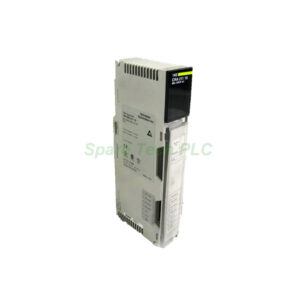
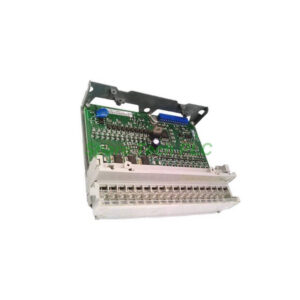
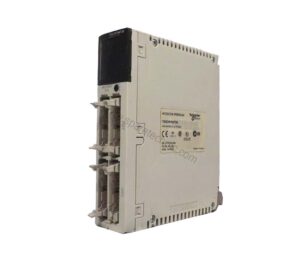
140NOE77100 Modicon Quantum Ethernet Module B20
Product Introduction
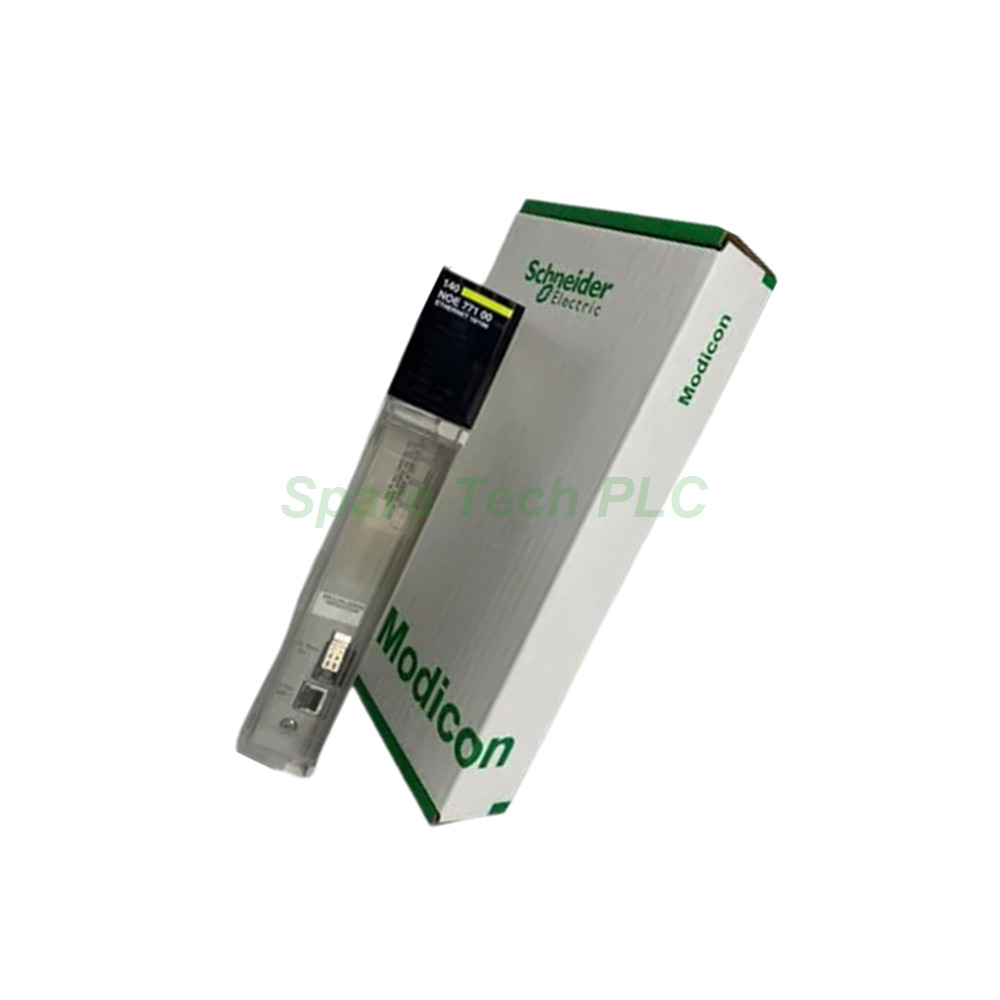
The 140NOE77100 module serves as a high-performance Ethernet communication interface for the Modicon Quantum automation platform. This module belongs to the Class B20 category, which guarantees robust web server capabilities and advanced diagnostic features. Engineers frequently choose this module for its flexible physical interfaces. It includes an MT/RJ connector for 100BASE-FX fiber optic cabling and a standard RJ45 port for 10BASE-T/100BASE-TX twisted pair networks. Furthermore, the Schneider 140NOE77100 supports both Modbus TCP messaging and I/O scanning functions. Its design fully integrates into a hot standby redundant architecture, making it an ideal choice for critical control applications that demand high availability.
Key Technical Specifications
This section details the core communication and operational parameters of the 140NOE77100.
Communication Protocol: The module uses Modbus TCP/IP for robust industrial networking.
Web Services: It includes a built-in web server that provides diagnostic pages and a rack viewer.
Data Editor: Users can access a data editor via a connected PC terminal for easy monitoring.
Transmission Rate: The device automatically negotiates speeds of 10 Mbit/s or 100 Mbit/s.
Redundancy: The 140NOE77100 actively supports hot standby redundant configurations.
Current Consumption: It draws a typical current of 750 mA from a 5 V DC supply.
Local Signalling: A comprehensive array of 11 LEDs provides clear status indication for network activity, module faults, and operation mode.
Advanced Features and Functionality
The Schneider 140NOE77100 extends beyond basic connectivity with its Transparent Ready concept. This approach places powerful tools directly at the user's fingertips without requiring complex software. For instance, the integrated web server allows for immediate diagnostics through predefined web pages. Additionally, the rack viewer feature provides a graphical representation of the entire Quantum system configuration.
Meanwhile, the module’s ability to function as a data editor is particularly useful for commissioning and maintenance. Operators can monitor and modify data points directly through a standard PC terminal, simplifying the troubleshooting process. Therefore, this module drastically reduces the time needed for system setup and ongoing support. Moreover, the dual physical interfaces offer significant installation flexibility. Engineers can use the fiber optic connection for long-distance, noise-immune communication, or they can use the RJ45 port for convenient local connections.
Mechanical and Environmental Specifications
The 140NOE77100 is engineered to withstand demanding industrial environments.
Degree of Protection: It has an IP20 rating, suitable for control cabinet installation.
Operating Temperature: The module operates reliably within a range of 0 to 60 °C (32 to 140 °F).
Storage Temperature: It can be stored safely between -40 and 85 °C (-40 to 185 °F).
Relative Humidity: The device tolerates up to 95% humidity without condensation.
Operating Altitude: It remains functional at altitudes up to 4500 meters (14763.78 feet).
Furthermore, its robust design includes resistance to electrostatic discharge, meeting IEC 801-2 standards with 4 kV contact and 8 kV air discharge. It also withstands electromagnetic fields up to 10 V/m, as per IEC 801-3. Consequently, the Schneider 140NOE77100 holds multiple certifications, including cUL, UL 508, FM Class 1 Division 2, and CSA C22.2 No 142, confirming its safety and reliability for global use.
Installation and Integration Guidelines
Installing the 140NOE77100 is a straightforward process. First, ensure the main power supply to the Quantum rack is turned off. Next, align the module with the guides in the rack's slot and push it firmly into place until the connectors click securely. After that, secure the module by tightening the retaining screws. Finally, connect the appropriate Ethernet cabling to the MT/RJ fiber port or the RJ45 copper port.
For network integration, the module's parameters are typically configured using Schneider Electric's Unity Pro software. Assign a unique IP address to the 140NOE77100 to ensure proper communication with the Modbus TCP network. Since the device supports hot standby, configure it as the primary or backup module according to your system architecture. After the configuration downloads, the module's LED indicators should show a solid RUN and READY status, confirming successful operation.
Packaging and Shipping
When you order the Schneider 140NOE77100, you will receive a complete package ready for installation.
Packaging Content:
1 x Modicon Quantum Ethernet TCP/IP Module (140NOE77100)
1 x Mounting hardware and screws
1 x Quick start guide (digital download available)
All items are securely packed to prevent damage during transit. We ship using the best global courier services, including FedEx, UPS, and DHL. This ensures you receive your module promptly and in perfect condition, minimizing any potential project downtime.
Frequently Asked Questions (FAQ)
1. What is the difference between the RJ45 and MT/RJ ports on the 140NOE77100?
The RJ45 port is for 10/100BASE-TX copper cabling, suitable for short distances within a cabinet. The MT/RJ port supports 100BASE-FX fiber optics, which is ideal for longer distances and in environments with high electrical interference.
2. Can the 140NOE77100 module be used in a redundant system?
Yes, absolutely. The Schneider 140NOE77100 explicitly supports hot standby redundant architectures. This feature allows you to create a fail-safe control system with two modules working in tandem.
3. Do I need special software to access the module's web server?
No, you do not need any specialized software. The web server is accessible through a standard web browser. Simply enter the module's IP address to access diagnostics, the rack viewer, and the data editor.
4. How can I verify the network status of the 140NOE77100?
You can verify the status via the front panel LEDs. A solid green RUN LED indicates normal operation, while the TxAct/RxAct LED blinks to show network traffic. Additionally, the built-in web page provides detailed diagnostic information.
5. What is the maximum operating temperature for this Ethernet module?
The 140NOE77100 is rated for an ambient operating temperature range of 0 to 60 °C (32 to 140 °F). Ensure adequate ventilation within the control cabinet to maintain this temperature range.