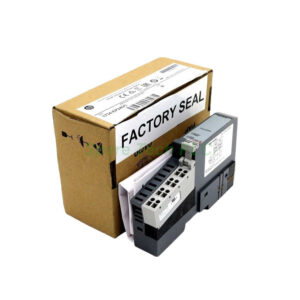
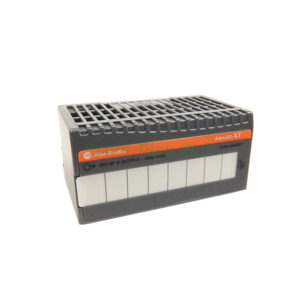
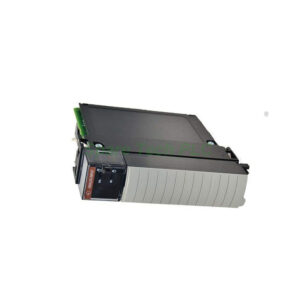
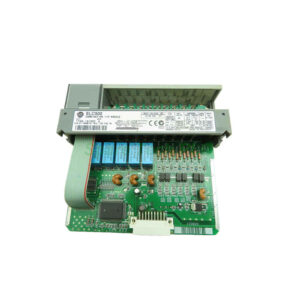
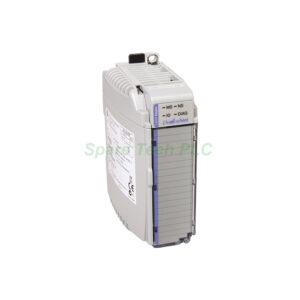
Allen-Bradley 1734-AENTRK Ethernet/IP Network Module
Product Introduction
The 1734-AENTRK from Allen-Bradley is a high-performance network adapter for POINT I/O systems. This module communicates via the EtherNet/IP protocol. It supports a maximum of 63 POINTBus I/O modules per adapter. Furthermore, the unit works with star, tree, linear, and ring topologies, offering great installation flexibility.
You can mount the 1734-AENTRK easily on a standard DIN rail. Its compact open-style design fits inside control cabinets. Additionally, the conformal coating makes it suitable for humid or mildly corrosive environments. The temperature rating ranges from -20°C to 55°C (-4°F to 131°F). A 24V DC power supply is required to operate this adapter.
This model replaces older non-coated versions when extra protection is needed. Many engineers prefer the 1734-AENTRK for applications in food processing, chemical plants, or outdoor enclosures. Next, let us look at the detailed technical specifications.
Technical Specifications
Brand: Allen-Bradley
Sub Brand: POINT I/O
Type: Adapter
Communication Protocol: EtherNet/IP
Module Capacity: 63 POINTBus modules (highlight: red)
Supported Topologies: Star, tree, linear, ring
Power Supply: 24V DC (highlight: red)
Enclosure: None (open-style)
GX Rating: None
Conformal Coated: Yes
Mounting: DIN rail
Application: In-cabinet
Mechanical and Environmental Ratings
Temperature Rating: -20°C to 55°C (-4°F to 131°F)
Storage Temperature: -40°C to 85°C (-40°F to 131°F)
Relative Humidity: 5% to 95% non-condensing
Vibration Resistance: 5g at 10-500Hz
Shock Rating: 30g
Dimensions (HxWxD): Approx. 76 x 20 x 75 mm
Weight: 0.32 kg
Installation Guidelines
First, turn off all power before installing the 1734-AENTRK. Mount the adapter onto a grounded DIN rail. Push the module down until the locking mechanism clicks. Next, connect the 24V DC power supply to the appropriate terminals. Then, attach an EtherNet/IP cable to the RJ45 port.
Meanwhile, ensure proper grounding to avoid communication errors. For a ring topology, use both Ethernet ports. However, for star or linear networks, only one port is needed. Finally, add POINT I/O modules to the right side of the adapter. Each module snaps into place and connects to the POINTBus automatically.
Why Choose the Conformal Coated Version?
Standard adapters may fail in high-humidity areas. Therefore, the 1734-AENTRK includes a conformal coating. This coating protects circuit boards from moisture, dust, and chemical vapors. As a result, the module lasts longer in harsh environments. For instance, you can use it near washdown zones or in unheated outdoor cabinets. Moreover, the coating does not affect normal heat dissipation or electrical performance.
Common Applications
This adapter works well in many industries. Specifically, it fits automotive assembly lines where coolant mist is present. Additionally, water treatment plants benefit from its moisture resistance. Food and beverage facilities also use the 1734-AENTRK because of occasional high-pressure cleaning. Furthermore, oil and gas sites with salty air find this coated version reliable.
Network Topology Support
The 1734-AENTRK offers flexible network design. In a star topology, each adapter connects to a central switch. A tree topology combines star and linear segments. Meanwhile, a linear topology daisy-chains multiple adapters without extra switches. For maximum redundancy, use a device-level ring (DLR) topology. Therefore, you can match the network layout to your existing infrastructure.
Packaging List
One 1734-AENTRK POINT I/O adapter with conformal coating
One installation instructions sheet
One end cap (1734-ECR) for the POINTBus termination
Note: No cables, certificates, or warranty documents are included in the package.
Shipping Information
All orders are shipped via FedEx, UPS, or DHL depending on your location. Tracking numbers will be provided within 24 hours after dispatch.
Frequently Asked Questions (FAQ)
1. What is the difference between 1734-AENTR and 1734-AENTRK?
The 1734-AENTRK includes a conformal coating on the circuit board. The standard 1734-AENTR does not have this coating. Therefore, use the K version for humid or chemically harsh environments.
2. Can I mix coated and non-coated modules on the same POINTBus?
Yes, you can. However, for best protection in harsh areas, we recommend using all coated components. The 1734-AENTRK works fine with standard modules in the same rack.
3. How many I/O modules can this adapter handle?
It supports up to 63 POINT I/O modules. But note that the total POINTBus current draw must stay within the power supply limits. Always calculate your system's power budget first.
4. Does this module support DHCP or static IP addressing?
It supports both. By default, the 1734-AENTRK uses DHCP. You can also assign a static IP address using the Rockwell BootP/DHCP tool or via a web browser if the module has a default IP.
5. Is a special configuration tool required to set up this adapter?
Yes, you need RSLogix 5000 or Studio 5000 software. The module appears as an EtherNet/IP device when you add it to the I/O configuration tree. After that, you can set the IP address and request packet interval (RPI).