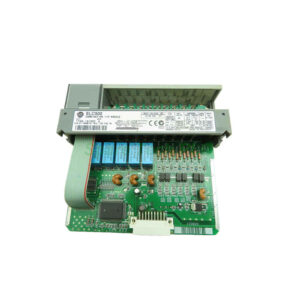
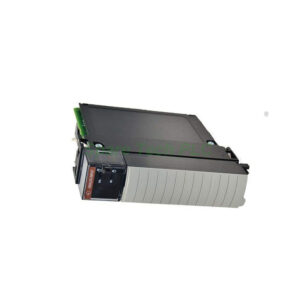
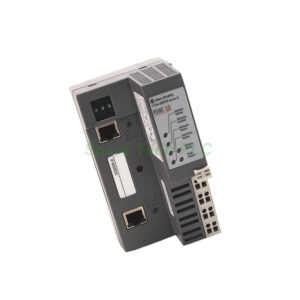
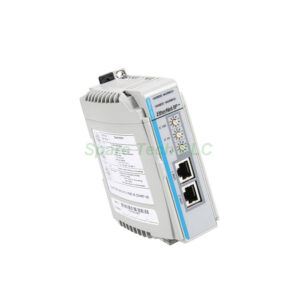
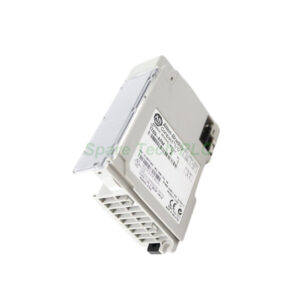
Allen-Bradley 1769-ADN DeviceNet Adapter Module
Product Introduction
The 1769-ADN is a DeviceNet communication module for the CompactLogix and MicroLogix 1500 platforms. It acts as an adapter between a controller and a DeviceNet network. Simple devices like sensors and actuators connect directly to the network through this module. This approach reduces wiring and simplifies system architecture.
Please note that this module is discontinued by the manufacturer. However, we supply genuine units for maintenance and legacy system upgrades.
Technical Specifications of the 1769-ADN
The 1769-ADN belongs to the CompactLogix product line. It uses the Common Industrial Protocol (CIP) for control, data collection, and configuration. The module supports three data transfer speeds. For example, 125 kbit/s reaches up to 500 meters. 250 kbit/s reaches 250 meters. 500 kbit/s reaches 100 meters.
Furthermore, this adapter handles 180 words of input data and 180 words of output data from I/O modules. It also manages 724 words of configuration data. The maximum number of I/O nodes is 30.
The 1769-ADN draws backplane current of 450 mA (Series A) or 500 mA (Series B) at 5V DC. Additionally, it draws 90 mA at 24V DC. Total power consumption is 33.6 W, with power dissipation at 7.5 W. Isolation voltage is 30V continuous.
Indicators on the front panel include Module Status (red/green), Network Status (red/green), I/O Status (red/green), and Diagnostic Status (red/green).
Mechanical and Environmental Parameters
The 1769-ADN operates from 0°C to 60°C (32°F to 140°F). Storage temperature ranges from -40°C to 85°C (-40°F to 185°F). Humidity tolerance is 5% to 95% non‑condensing.
Dimensions are 118 mm (height) x 50 mm (width) x 87 mm (depth). With mounting tabs, height increases to 138 mm (5.43 inches). Weight is approximately 0.6 lbs (272 grams). Shipping weight is 2 lbs (0.91 kg).
The enclosure is rated Open. Agency certifications include UL, CE, and DeviceNet Foundation.
Installation Guidelines
You can mount the 1769-ADN using DIN rail or panel mounting methods. It occupies one slot in a CompactLogix chassis.
A critical rule involves the power supply distance rating. For Series A, place the 1769-ADN no more than 4 modules away from the power supply. For Series B, the limit is 5 modules. When used with a MicroLogix 1500, install the module next to the base unit or an adjacent module.
First, disconnect power. Next, mount the module on DIN rail or a panel. Then, connect the DeviceNet cable (802.3 compliant twisted pair, 14 AWG recommended). After that, lock the bus connectors securely. If you feel resistance, disengage the module and check pin alignment. Finally, restore power and verify network communication.
Packaging List
1769-ADN module (1 unit)
Plastic dust cover
Quick start guide
Note: No certificate or warranty document is included in the package.
Shipping Methods
We ship worldwide via FedEx, UPS, or DHL. Tracking number provided within 24 hours after dispatch.
Frequently Asked Questions (FAQ)
1. Is the 1769-ADN compatible with MicroLogix 1500?
Yes. The 1769-ADN works with both CompactLogix and MicroLogix 1500 systems. Install it beside the base unit or an adjacent module.
2. What cable type is required for the DeviceNet connection?
You need 802.3 compliant twisted pair cable with 14 AWG (2 mm²). Allen‑Bradley DeviceNet cable is recommended.
3. Can I use the 1769-ADN with a ControlLogix scanner?
Yes. The 1769-ADN responds to DeviceNet scanners from other PLC families, including ControlLogix, PLC‑5, and SLC 500.
4. What do the LED indicators mean?
Four dual‑color LEDs show Module Status, Network Status, I/O Status, and Diagnostic Status. Red indicates a fault, while green indicates normal operation.
5. Why do I feel resistance when installing the module?
Resistance usually means misaligned pin connectors. First, disengage the 1769-ADN. Then inspect the bus connectors. Align them properly before attempting installation again. Never force the module.