Home /
Products /
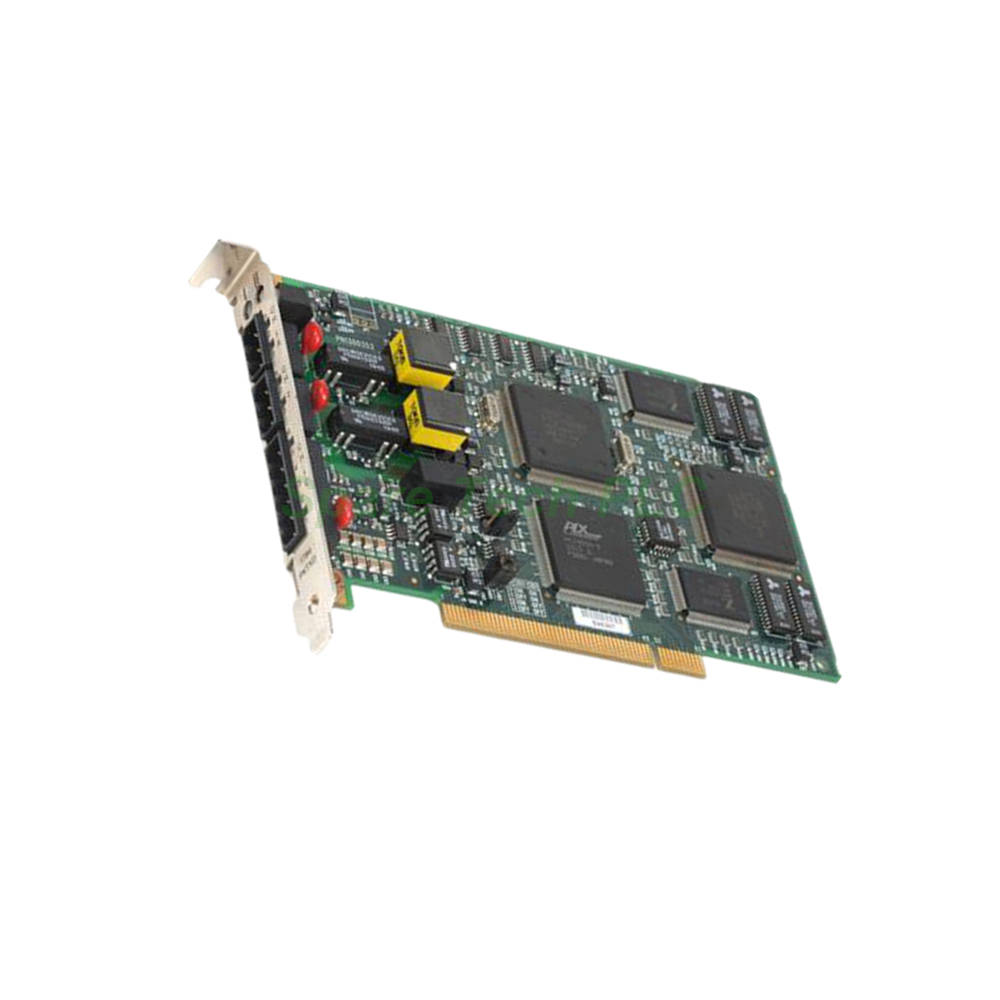
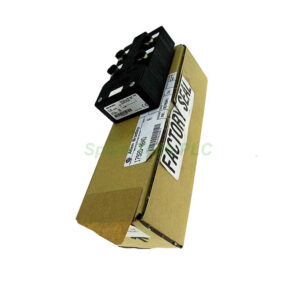
1784-PKTX A-B DH-485 Network Communication Module
1784-PKTX A-B DH-485 Network Communication Module
1784-PKTX
Manufacturer: N/A Series: N/A Model Number: 1784-PKTX Weight: 0.1kg Condition: In Stock Availability: 100% Original Brand New Product Origin: U.S.A Shipping port: Xiamen Warranty: 12 Month
1784-PKTX Allen-Bradley PCI DH+ RIO Interface Card
Product Introduction
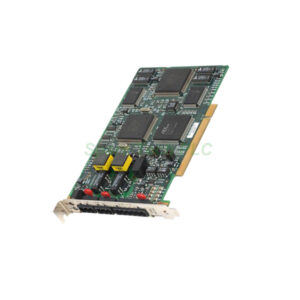
The 1784-PKTX from Allen-Bradley serves as a dedicated network interface card for personal computers. It mounts directly into a standard PCI slot. This card acts as a bridge between a host PC and several classic industrial networks, including Data Highway Plus (DH+), Remote I/O (RIO), and DH-485. As a result, it enables modern software like RSLinx to communicate with older programmable controllers. Its robust design ensures reliable performance in demanding plant floor environments.
Technical Specifications
Communication Protocols and Channels
The 1784-PKTX offers flexible connectivity through two distinct communication channels. Channel 1A functions as a combo port for both DH+ and Remote I/O networks. It uses a 3-pin Phoenix connector. Meanwhile, Channel 1C provides a dedicated DH-485 interface via a 6-pin Phoenix connector. This dual-channel design allows the card to manage different network types simultaneously. For instance, it can connect to a legacy PLC-5 via DH+ while also communicating with an SLC 5/03 on a DH-485 network.
Supported Controllers and Compatibility
This interface card is specifically designed to work with a range of classic Rockwell Automation processors. It fully supports PLC-5, PLC-5/250, and SLC 5/04 controllers directly. Additionally, it can connect to SLC 5/01, SLC 5/02, and SLC 5/03 processors when used with a 1785-KA5 converter. This broad compatibility makes the 1784-PKTX an invaluable tool for maintaining older systems.
Data Transfer Rates and Cable Lengths
Communication distances vary depending on the selected baud rate. For DH+ and RIO networks, the 1784-PKTX supports the following maximum cable lengths:
10,000 ft. (3,048 m) at 57.6 Kbit/s
5,000 ft. (1,524 m) at 115.2 Kbits/s
2,500 ft. (762 m) at 230.4 Kbits/s
For DH-485 networks, the card supports a maximum distance of 4,000 ft. (1,219 m) . Furthermore, it supports baud rates of 1200, 2400, 4800, 9600, or 19,200 bits/s. Therefore, you can choose the speed that best suits your specific application needs.
Physical and Electrical Characteristics
The 1784-PKTX is a compact and lightweight module. Its dimensions are 4.5 x 12.4 x 6.3 inches (115 x 317 x 160 mm). It weighs only 0.3 lbs (0.1 kg). Importantly, it requires no external power source, drawing all necessary power from the PCI bus. The board also features a conformal coating, which protects it against moisture and contaminants.
Mechanical and Environmental Ratings
Operating Conditions
This card is built to withstand typical industrial environments. Its operating temperature range is from 0 to 60 degrees Celsius (32 to 140 degrees Fahrenheit). Moreover, it can function in environments with 5 to 95% relative humidity, provided there is no condensation.
Shock and Vibration Tolerance
Durability is a key feature of the 1784-PKTX. It is rated for an operational shock of 30G. Additionally, it can endure vibrations of 2G at a frequency range of 10 to 500 Hertz. Consequently, it remains reliable even in applications with significant mechanical stress.
Status Indication and Diagnostics
The card features one diagnostic/status LED for each communication channel. These LEDs provide at-a-glance visual confirmation of the network status and activity. This simplifies troubleshooting and helps reduce system downtime.
Installation and Configuration Guide
Hardware Installation
Firstly, ensure the PC is powered off before installing the 1784-PKTX. Insert the card firmly into a compatible PCI 2.3 compliant slot. Then, secure it with the mounting bracket screw. After powering on the system, the operating system should recognize the new hardware.
Driver and Software Setup
The 1784-PKTX typically uses the RSLinx PKTx driver for communication. This driver facilitates connections to devices on either the DH+ or DH-485 networks. For systems running an operating system other than standard Windows, a user-specific driver may be required. Therefore, consult Rockwell Automation documentation for specific OS support.
Cable Connections
For DH+ connections, use the 10-foot (3.2-meter) CP12 cable. This cable features a 3-pin Phoenix end with a switchable termination resistor. For DH-485 networks, use the 1784-CP14 cable, which has a 6-pin Phoenix connector and also includes a switchable termination resistor. Proper termination is crucial for reliable network communication.
Jumper Configuration
The maximum number of 1784-PKTX modules per system is four. This limit is specified by the onboard jumper configuration. Consequently, you must verify the jumper settings to ensure the system recognizes the correct number of installed modules.
Note: Cables (CP12, CP14) and wiring arms (1771-WN) are sold separately
Packaging excludes certificates and warranty documents
Shipping and Delivery
We ship all orders via trusted global carriers. Specifically, we offer FedEx, UPS, and DHL as our standard shipping options. The 1784-PKTX will be securely packed to prevent damage during transit. For urgent requirements, express shipping services are available upon request. Furthermore, all shipments include tracking information for your peace of mind.
Frequently Asked Questions (FAQ)
1. Can the 1784-PKTX support both DH+ and DH-485 networks at the same time? Yes, it can. Channel 1A handles DH+ or Remote I/O, while Channel 1C manages DH-485. Therefore, you can connect to both network types simultaneously using a single card.
2. Is the 1784-PKTX compatible with modern Windows operating systems? The card uses the RSLinx PKTx driver. While it was designed for legacy OS, it may function on newer Windows versions with legacy driver support. However, we recommend verifying driver availability for your specific OS version.
3. What happens if I install more than four 1784-PKTX modules in one system? The hardware limits the number of modules to four. If you install more, the system may not recognize the additional cards. Consequently, the jumper configuration must be set to reflect the actual number installed.
4. How do I determine the correct cable for my application? For DH+ networks, choose the CP12 cable (3-pin Phoenix). For DH-485, select the CP14 cable (6-pin Phoenix). Always ensure the cable length does not exceed the maximum specified for your baud rate.
5. What are the key causes of communication errors with the 1784-PKTX? Common issues include incorrect termination resistor settings, exceeding maximum cable lengths, or improperly configured drivers. Also, ensure the baud rate is consistent across all devices on the network.
Attention: The above product information is sourced from the internet and cannot be guaranteed to be authentic.
For specific product parameters and prices, please contact
SpareTech PLC professionals in a timely manner.
Brand Name
Model No.
1784-PKTX
Product Type
Network Interface Card
hasMerchantReturnPolicy
Adjust according to reality
Shippingdetails
Adjust according to reality
The 1784-PKTX is a PCI 2.3 compliant network interface card from Allen-Bradley. It connects a PC to DH+, Remote I/O, or DH-485 networks. This card supports PLC-5 and SLC processors, making it essential for legacy system visualization and data exchange. SpareTech PLC provides you with a PDF version of the instructions about
N/A 1784-PKTX,
where you can download the
N/A 1784-PKTX manual PDF for free: Download PDF