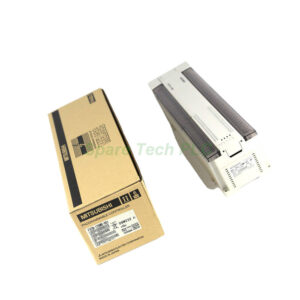
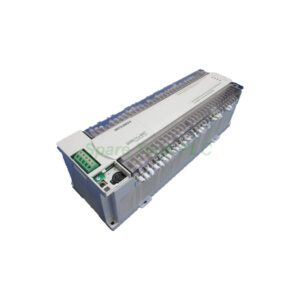
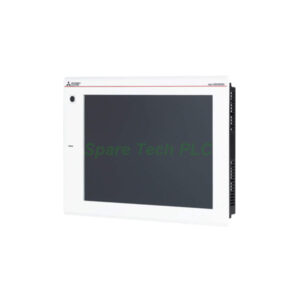
Mitsubishi GT27-ROUT-Z RGB Output Unit
Product Introduction
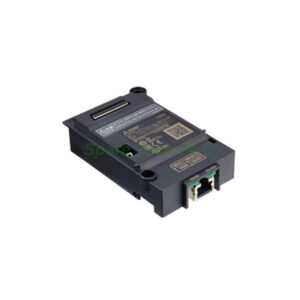
The GT27-ROUT-Z expands your HMI capabilities by providing a dedicated analog RGB output. You can use this unit to mirror or extend the GT27’s display to a larger external monitor. This device supports three common resolutions. For instance, it handles XGA at 1024 x 768 pixels. Additionally, it processes SVGA at 800 x 600 pixels. Finally, it works with VGA at 640 x 480 pixels. The vertical scanning frequency stays at a stable 60 Hz for all modes. Therefore, operators get a flicker-free image on secondary screens.
Technical Specifications
This section details the core performance parameters of the GT27-ROUT-Z.
Output Channels: 1 channel
Connector Type: D-Sub 15-pin female
Vertical Scanning Frequency: 60 Hz
Horizontal Scanning Frequencies:
XGA (1024 x 768): 48.4 kHz
SVGA (800 x 600): 37.9 kHz
VGA (640 x 480): 31.5 kHz
Dot Clock Frequencies:
XGA: 65.000 MHz
SVGA: 40.000 MHz
VGA: 25.175 MHz
Current Consumption: Approximately 0.34 A at 5.0 V DC
Applicable Model: GT27 (within GOT2000 series)
Furthermore, the unit’s low power draw makes it easy to integrate. It does not require a separate power supply.
Mechanical and Environmental Data
The GT27-ROUT-Z is built for industrial environments. Its robust design ensures reliable operation on factory floors.
Weight: 1.36 kg (3.00 lbs)
Operating Temperature: 0 to 55 °C
Storage Temperature: -20 to 60 °C
Humidity: 10% to 90% RH (non-condensing)
Mounting: Designed for internal installation within the GT27 unit
Installation Guidance
Follow these steps to install the GT27-ROUT-Z correctly. First, ensure the GT27 main unit is powered off. Next, locate the dedicated expansion interface on the back of the GT27. Then, align the GT27-ROUT-Z board with the guide rails. Push it firmly until the connector clicks into place. Finally, secure the board using the provided screws. After installation, connect your external monitor to the D-Sub 15-pin female port. You can then power on the system and configure the display settings via the GOT2000 software.
Packaging List
Your package for the GT27-ROUT-Z includes the following items:
Note: Cables for the external display are sold separately.
Shipping Information
We ship all products using reliable global carriers. Your order will be dispatched via FedEx, UPS, or DHL. Tracking numbers will be provided within 24 hours after shipment.
Frequently Asked Questions (FAQ)
1. Is the GT27-ROUT-Z compatible with the GT25 model?
No, the GT27-ROUT-Z works exclusively with the GT27 model within the GOT2000 series. It does not fit or function with GT25 or other GOT2000 variants.
2. What type of monitor can I connect to this RGB output unit?
You can connect any standard monitor that accepts an analog RGB input via a D-Sub 15-pin connector. Ensure the monitor supports a 60 Hz vertical refresh rate.
3. Does this unit support touch panel functions on the external display?
No, the GT27-ROUT-Z only outputs video signals. It does not transmit touch input data. The external display acts purely as a viewing screen.
4. How do I change the output resolution on the GT27-ROUT-Z?
You must change the resolution through the GOT2000 system software settings. Access the display properties menu. Then select either XGA, SVGA, or VGA. The unit will automatically adjust the dot clock and horizontal frequency.
5. Can I install this unit myself without special tools?
Yes, the installation requires only a standard Phillips screwdriver. However, you must follow proper ESD (electrostatic discharge) precautions. The manual included in the package provides clear step-by-step instructions.