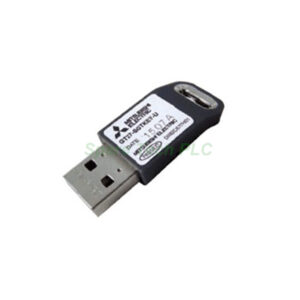
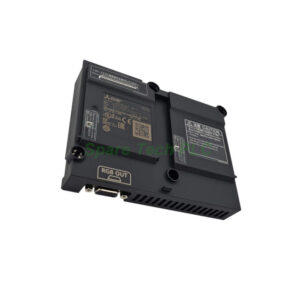
GT25-PCRAKEY-20 Ethernet License by Mitsubishi GOT2000
Product Introduction
The GT25-PCRAKEY-20 belongs to Mitsubishi's GOT2000 software ecosystem. This license package unlocks remote PC operation functionality. It works specifically with GT25 and GT27 HMI terminals. Communication happens entirely through Ethernet connections.
Furthermore, each package contains twenty individual licenses. You need one license per GOT unit. Therefore, the GT25-PCRAKEY-20 supports up to twenty terminals simultaneously. This setup works well for large manufacturing floors with many HMI stations.
Technical Specifications
The GT25-PCRAKEY-20 follows a standard license type. It is designed for industrial remote access applications. Here are the key details:
Device type: Remote personal computer operation function (Ethernet) license
Series compatibility: GOT2000 series
Applicable models: GT27 and GT25
Number of licenses: 20 per package
License type: Standard
Volume licensing options: 1, 5, and 10 licenses also available
Additionally, each license operates on a per-unit basis. One GOT terminal consumes exactly one license. You cannot share a single key across multiple HMI devices.
Functionality and Benefits
The GT25-PCRAKEY-20 enables operators to control a remote PC directly from a GOT terminal. For instance, you can access Windows-based applications on a central computer. You can also view PC screens and send keyboard commands from the HMI.
Moreover, this Ethernet-based solution eliminates long cable runs. Your GOT terminal only needs a network connection to reach the target PC. The GT25-PCRAKEY-20 also supports multiple GOT units accessing different PCs. This flexibility improves operator efficiency.
Another key advantage is centralized maintenance. A single PC can serve many production lines. Operators use the GT25-PCRAKEY-20 to run diagnostic tools, update logs, or change machine parameters remotely. Consequently, you reduce travel time across large facilities.
Installation Guidance
First, verify that your GOT2000 terminal runs compatible firmware. Next, connect both the GOT and the target PC to the same Ethernet network. Then, obtain one license code from the GT25-PCRAKEY-20 package.
After that, access the GOT's utility menu and navigate to the license registration section. Enter the key for remote PC operation. The system will confirm activation within seconds. Finally, configure the PC's IP address and sharing settings. You must repeat this license activation for each of the twenty GOT units.
Additionally, keep your license certificates stored securely. You will need them for future reinstallation or technical support.
Packaging List
One Mitsubishi GT25-PCRAKEY-20 license certificate
Twenty license activation codes (printed)
One Ethernet configuration quick guide
Note: The GOT2000 terminal, PC, and Ethernet cables are sold separately.
Shipping Information
We ship all orders via FedEx, UPS, or DHL. Tracking numbers are provided within 24 hours after dispatch.
Frequently Asked Questions (FAQ)
1. Which GOT models work with the GT25-PCRAKEY-20?
The GT25-PCRAKEY-20 works with GOT2000 series GT27 and GT25 models. It does not support older GOT1000 series terminals.
2. Do I need one license per GOT unit for remote PC access?
Yes, each GOT terminal requires its own license. The GT25-PCRAKEY-20 provides twenty licenses, so it covers up to twenty separate units.
3. Can I transfer a license to a different GOT unit?
Yes, but you must deactivate the license from the original unit first. Then you can reuse that key from the GT25-PCRAKEY-20 package on another GOT terminal.
4. What network protocol does this license use?
The GT25-PCRAKEY-20 enables remote PC operation exclusively through Ethernet (TCP/IP). Wireless connections may work if the GOT has a supported Wi-Fi module.
5. Does this license expire after a certain period?
No, the GT25-PCRAKEY-20 provides a permanent license. You do not need to pay renewal fees or subscription costs for the remote PC operation function.