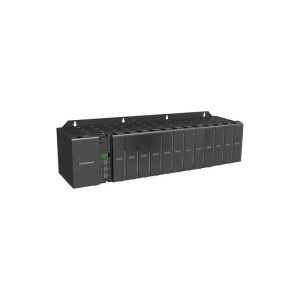
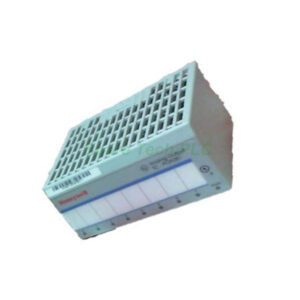
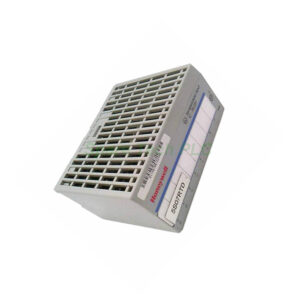
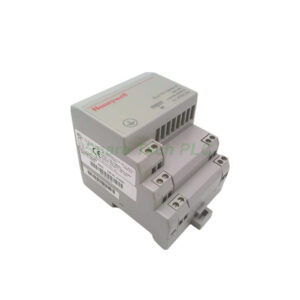
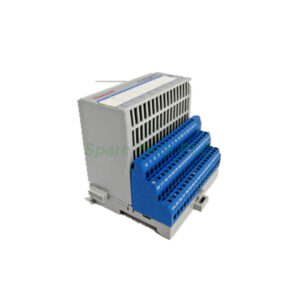
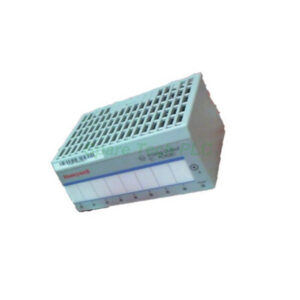
Honeywell 900A16-0103 High Level Analog Input, 16 Channel
Product Introduction
The Honeywell 900A16-0103 offers sixteen isolated analog inputs. You can configure each channel individually for voltage or current. This module provides point-to-point isolation up to 400 VDC. Additionally, it includes 1 KVDC isolation from the backplane to logic circuits.
The analog-to-digital converter runs one per module. It synchronizes with the CPU’s execution cycle. Therefore, data interchange latency is eliminated. Many users appreciate that all analog input modules process in parallel. Consequently, adding more modules does not increase scan time.
A green blinking LED shows normal scanning activity. Meanwhile, a red LED alerts you to any channel or module diagnostics. This module also stores factory calibration data in non-volatile memory. For instance, the calibration remains redundant and factory-performed.
Technical Specifications
The Honeywell 900A16-0103 supports input impedance above 1 megohm for voltage ranges. For current inputs, impedance is 250 ohms. Its noise rejection includes series mode >31 dB. Moreover, common mode rejection exceeds 90 dB at 120 VAC.
Over-range limits reach +/-10% for linear voltage ranges. Factory accuracy is ±0.1% of range under reference conditions. Reference conditions include 25°C ±3°C temperature and 45–55% non-condensing humidity. Temperature effect on accuracy stays within ±0.01% of full scale per degree Celsius.
A/D resolution is ±15 bits. The update rate is 100 ms per module. Long-term stability reaches 0.1% per year. Diagnostics monitor factory calibration, 24 VDC supply, and user configuration. Channel configuration data also resides in non-volatile memory.
Mechanical & Environmental Parameters
Operating temperature ranges from 0°C to 60°C. Storage temperature goes from -40°C to 85°C. Humidity tolerance is 5% to 95% non-condensing. The module withstands vibration up to 2g at 10–500 Hz. Additionally, shock resistance is 30g for 11 ms half-sine.
Power consumption is typically 1.5 W from the backplane. The module has a compact form factor for easy panel integration. Its LEDs provide clear status indication without external tools.
Installation Guide
First, ensure backplane power is off before inserting the 900A16-0103. Next, align the module with the guide rails in the chassis. Push it firmly until the locking mechanism clicks. Then, connect field wiring to the removable terminal block.
For voltage inputs, use shielded twisted-pair cables. For current inputs, ensure the loop supply is within specifications. Finally, configure each channel via the system engineering tool. You can set range and input type individually.
Packaging List
Honeywell 900A16-0103 module – 1 unit
Removable terminal block – 1 piece
Installation guide – 1 copy
Label sheet for channel identification – 1 sheet
Shipping Methods
We ship via Fedex, UPS, DHL. Delivery times depend on your location. All items are carefully packed in anti-static materials.
Frequently Asked Questions (FAQ)
1. Can I mix voltage and current inputs on the same Honeywell 900A16-0103?
Yes, each of the 16 channels is independently configurable for V or mA.
2. What happens if the module detects a fault?
The red status LED turns on. Diagnostics data is accessible via the controller.
3. Does adding more analog modules slow down the system?
No, processing is parallel. Therefore, scan time does not increase.
4. What is the update rate for all 16 channels?
The onboard A/D converter updates all channels every 100 ms.
5. Is field calibration required after installation?
No, factory calibration is stored in non-volatile memory. However, you can verify diagnostics regularly.