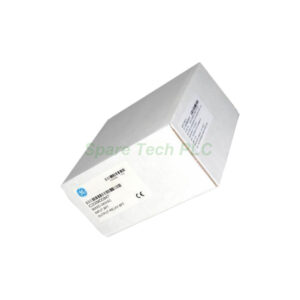
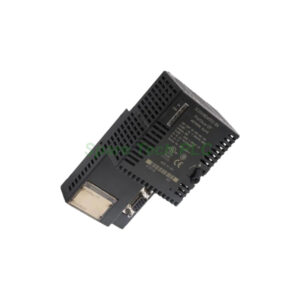
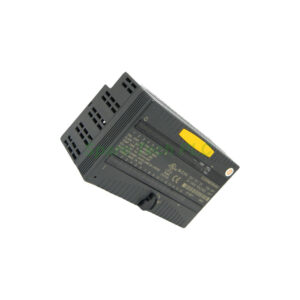
IS220PSVOH1B GE Mark VIe Servo Control Pack
Product Introduction
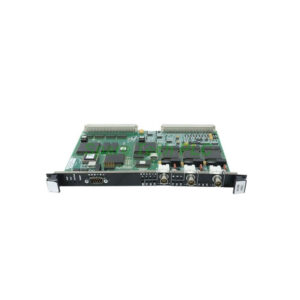
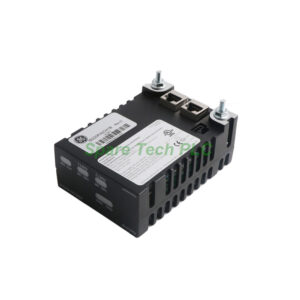
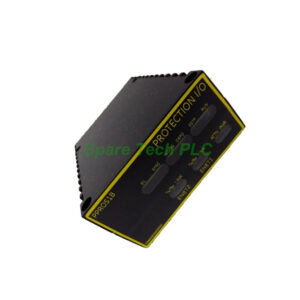
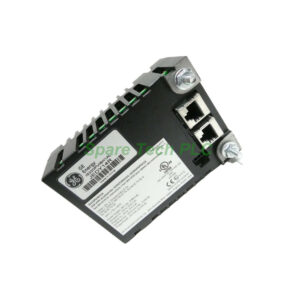
The IS220PSVOH1B serves as a dedicated servo interface within the GE Mark VIe system. It links the I/O Ethernet networks directly to a TSVO servo terminal board. Additionally, this pack employs the WSVO servo driver module. As a result, you can manage two independent servo valve position loops at the same time. The front faceplate includes several useful LED indicators. Specifically, four LEDs show the state of Ethernet networks ENet1 and ENet2. You also get a Power LED, an Attn LED, and two LEDs labeled ENA1 and ENA2.
Technical Specifications
This I/O pack contains a processing board with multiple onboard components. For instance, it includes input power connectors and local power sources. Furthermore, the IS220PSVOH1B has an internal temperature sensor for thermal monitoring. The board also features both flash memory and RAM for data handling and storage.
One notable feature is the single infrared port on the front panel. However, this port remains unused in this particular pack. Therefore, you do not need to connect anything to it during normal operation.
Configuration and Auto-Reconfiguration
After physical installation, you must configure the IS220PSVOH1B using the Control System Toolbox application. Specifically, you will use the ToolboxST software. This pack supports an auto-reconfiguration feature. When you replace the board, the system can automatically reconfigure it. You can enable or disable this option inside the Component Editor of ToolboxST.
Moreover, an operator can manually reconfigure the module using the same Component Editor. Nevertheless, there is an important rule to remember. When you replace only the terminal board, you must reconfigure the I/O pack manually. The auto-reconfiguration function will not work in that specific case.
Servo Performance Testing
The IS220PSVOH1B allows you to test servo performance using several methods. For example, you can stroke the actuator in manual mode. Alternatively, you can use position ramping or step current tests. These methods help verify that the servo valve responds correctly.
Additionally, the system includes a trend recorder. Any irregularities in the actuator stroke will appear on this trend recorder. Therefore, you can quickly identify and diagnose servo performance issues.
Mechanical and Environmental Features
The IS220PSVOH1B mounts inside a Mark VIe rack. Its front faceplate provides clear visual status at a glance. The internal temperature sensor helps protect the board from overheating. Meanwhile, the flash memory retains configuration data even after power loss.
Installation Guidelines
First, power down the Mark VIe system completely. Next, insert the IS220PSVOH1B into its designated slot in the rack. Then, connect the I/O Ethernet networks to the appropriate ports. After that, connect the pack to the TSVO servo terminal board. Finally, power up the system and open ToolboxST. Use the Component Editor to configure the pack according to your application needs.
Packaging List
IS220PSVOH1B servo I/O pack (1 unit)
Anti-static protective bag (1 piece)
Quick reference card (1 copy)
Shipping Information
We ship the IS220PSVOH1B using FedEx, UPS, or DHL. All shipments include tracking numbers and full insurance. Typical delivery takes 3 to 7 business days depending on your location.
Frequently Asked Questions (FAQ)
1. Can the IS220PSVOH1B work with other terminal boards besides the TSVO?
No. The IS220PSVOH1B is specifically designed to interface with the TSVO servo terminal board. Using it with other boards may cause compatibility issues.
2. How do I enable auto-reconfiguration for this I/O pack?
Open ToolboxST and navigate to the Component Editor. Find the auto-reconfiguration option for the IS220PSVOH1B. Then, set it to enabled. The pack will now auto-reconfigure after a board replacement.
3. What do the ENA1 and ENA2 LEDs indicate?
These two LEDs show the enable status for each of the two servo valve position loops. When lit, the corresponding loop is active and ready for operation.
4. Do I need to reconfigure the pack after replacing a terminal board?
Yes. When you replace only the terminal board, you must manually reconfigure the IS220PSVOH1B using the Component Editor. Auto-reconfiguration does not work in this scenario.
5. Where can I find detailed wiring diagrams for this module?
Please refer to the official GE Mark VIe user guides and manuals. Those documents provide complete wiring diagrams, installation steps, and compatibility notes for the IS220PSVOH1B.