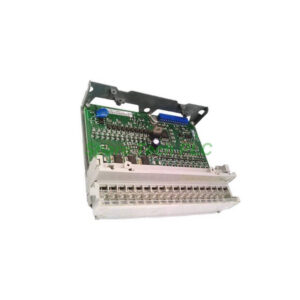
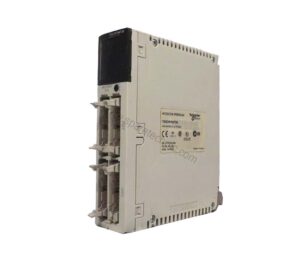
Schneider TM2DDI8DT Discrete Input Module
Product Introduction
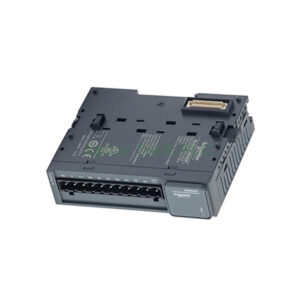
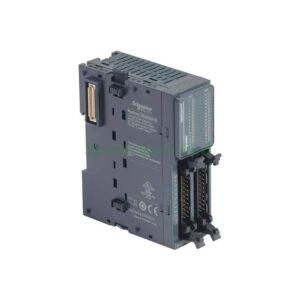
The Schneider Electric TM2DDI8DT expands your control system with eight reliable inputs. Each channel accepts 24V DC signals using sink or source wiring. This module works seamlessly with Twido, Advantys OTB, and the Modicon M238 logic controller.
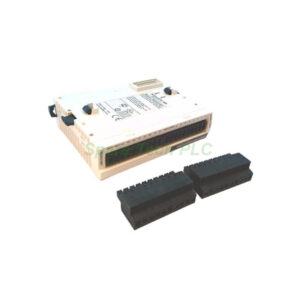
Additionally, the TM2DDI8DT uses a removable screw terminal block for easy installation and maintenance. Its input impedance measures 3.4 kOhm, while each channel draws 7 mA. The voltage limits range from 20.4 to 28.8V DC, giving you flexibility in real-world conditions.
For clean signal detection, the response time stays at 4 ms for both on and off states. One common point serves all eight channels. Therefore, careful grouping of field devices ensures proper operation.
Technical Specifications of TM2DDI8DT
Input characteristics determine how the TM2DDI8DT performs in automation tasks. The module meets standard industrial requirements for 24V DC digital signals. It accepts positive or negative logic without extra configuration.
Moreover, local signalling comes from one display block. This gives you a quick overview of the module's status. Current consumption equals 25 mA at 5V DC when all inputs are on.
Isolation between channels and internal logic reaches 500V AC for one minute. However, the TM2DDI8DT does not isolate individual channels from each other. Consequently, use the same voltage group for all eight inputs to avoid damage.
Mechanical & Environmental Data
The TM2DDI8DT measures 23.5 mm wide, 90 mm high, and 84.6 mm deep. Its product weight is only 0.1 kg (0.22 lb). Mounting requires a 35 mm symmetrical DIN rail, which is standard in most industrial cabinets.
Operating temperature ranges are not listed separately, but the Modicon M238 series typically works from -10°C to 55°C. The Schneider Electric TM2DDI8DT shares similar environmental limits.
Furthermore, the module carries Green Premium status from Schneider Electric. It contains no SVHC above the threshold level. Compliance declarations are available since 1039 (reference date).
Installation Guidelines for TM2DDI8DT
First, disconnect all power before handling the TM2DDI8DT. Clip it onto a 35 mm DIN rail until it locks securely. Then, remove the screw terminal block for easier wiring access.
Next, connect your field devices to the eight input terminals. Use a common return for all channels through the single common point. Ensure each input receives 24V DC nominal within the 20.4–28.8V range.
For best signal integrity, keep wiring away from high-power cables. The TM2DDI8DT does not provide channel-to-channel isolation. Therefore, avoid mixing different voltage sources on the same module.
Finally, plug the terminal block back and configure your Twido or M238 controller. Test each input by applying voltage and monitoring the logic state.
Packaging List
TM2DDI8DT module (1 unit)
Removable screw terminal block (fitted)
DIN rail mounting clip (attached)
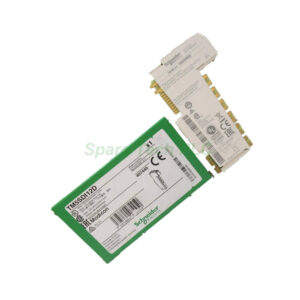
Quick start guide (printed)
The package does not include certificates or warranty documents.
Shipping & Delivery
We ship worldwide using Fedex, UPS, or DHL. Tracking numbers are provided within 24 hours after dispatch.
Frequently Asked Questions (FAQ)
1. Can I use the TM2DDI8DT with a Modicon M221?
The TM2DDI8DT is designed for Twido, Advantys OTB, and M238 systems. For M221, please check compatibility or use the TM3 series instead.
2. What does "sink or source" logic mean for this module?
You can wire the TM2DDI8DT as sinking (common positive) or sourcing (common negative). Choose one method for all eight inputs.
3. Why does the TM2DDI8DT have only one common point?
All eight inputs share one common return. Therefore, every input must use the same voltage reference. No isolation exists between channels.
4. How long can my sensor cables be for reliable operation?
Keep unshielded cables under 30 meters. For longer runs, use shielded cable and avoid running near inverters or contactors.
5. Does the module show individual input status LEDs?
No, the TM2DDI8DT provides one display block for general status. Individual input monitoring must be done through your controller's software.