Home /
Products /
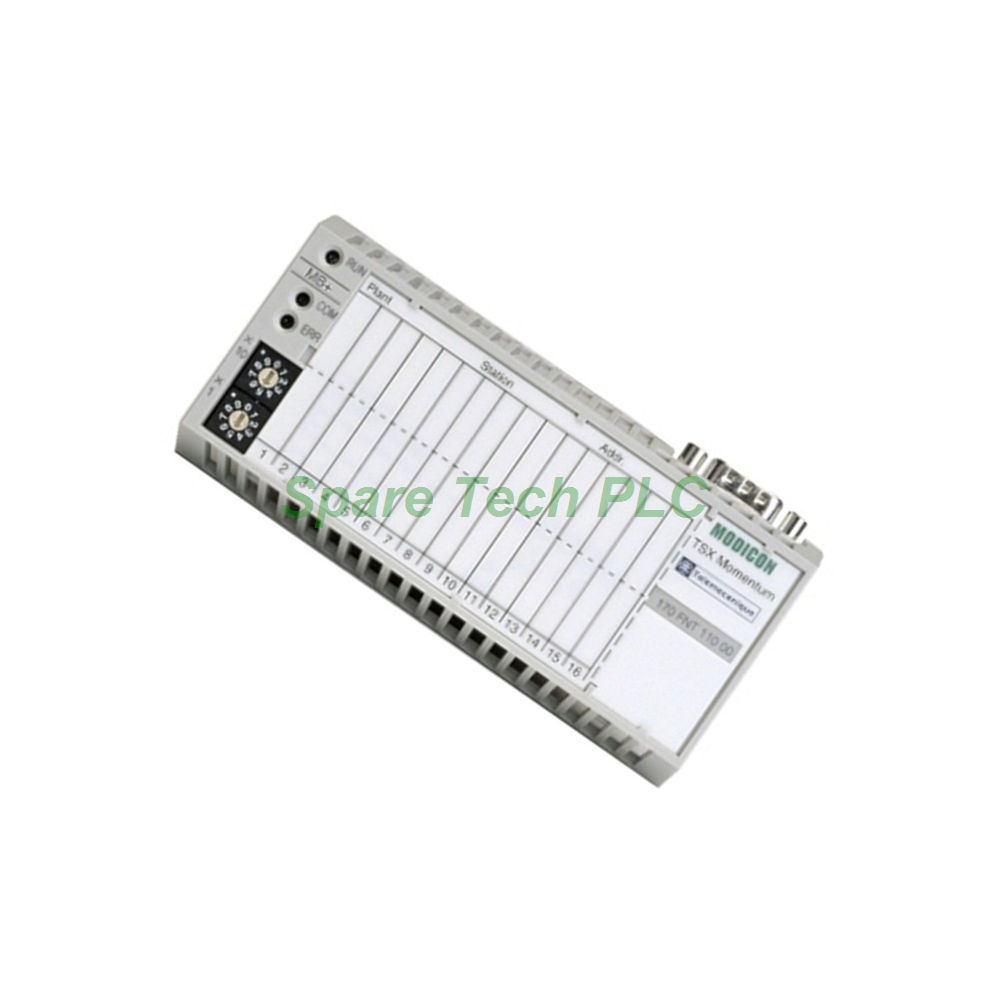
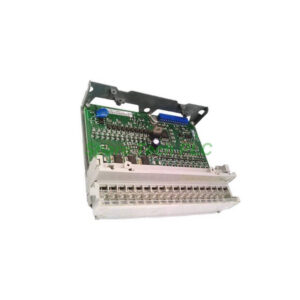
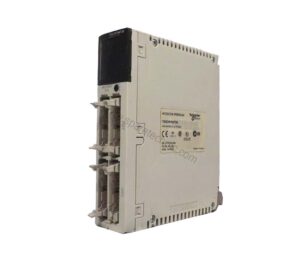
Schneider 170FNT11000 Fipio Adapter Module
Schneider 170FNT11000 Fipio Adapter Module
170fnt11000
Manufacturer: N/A Series: N/A Model Number: 170fnt11000 Weight: 0.24kg Condition: In Stock Availability: 100% Original Brand New Product Origin: FR Shipping port: Xiamen Warranty: 12 Month
170FNT11000 Modicon Momentum Fipio Guide
Product Introduction
The Schneider 170FNT11000 is a dedicated Fipio communication adapter within the Modicon Momentum series. This module enables high-performance data exchange between controllers and field devices. It operates on the Fipio protocol with a transmission speed of 1 Mbps. Moreover, the 170FNT11000 supports both 62.5/125 and 50/125 optical fiber cables. This flexibility allows for installation in diverse industrial environments. The module draws its power directly from the I/O base. Additionally, it connects through a Male Sub-D 9 connector for reliable electrical interfacing. The 170FNT11000 ensures seamless integration into open industrial architectures.
Technical Specifications
Communication Performance The 170FNT11000 delivers a stable data transmission rate of 1 Mbps. This speed ensures timely exchange of control and status information. Furthermore, the module supports up to 31 devices per segment without a repeater. With a repeater, it accommodates up to 61 devices. This scalability makes it suitable for both small and large network configurations.
Fiber Optic Support This model accepts two types of optical fiber cables. Specifically, it works with 62.5/125 and 50/125 multimode fibers. The maximum inter-device cable length reaches 5 kilometers. This long-distance capability provides significant flexibility for system layout. Moreover, fiber optic connectivity offers inherent immunity to electrical interference.
Power and Electrical Interface The 170FNT11000 receives its operating power from the Momentum I/O base. This design eliminates the need for a separate power supply connection. The electrical interface uses a Male Sub-D 9 connector. This standard connector ensures easy and secure cable attachment. The module consumes minimal power from the base unit.
Environmental and Mechanical Data
Physical Specifications The 170FNT11000 weighs approximately 0.24 kg. Its compact form factor allows for space-efficient installation. The module mounts directly onto the Momentum I/O base. This design simplifies both installation and removal procedures.
Operating Conditions This module operates within an ambient temperature range of 0 °C to 60 °C. This temperature tolerance suits most industrial environments. Furthermore, the 170FNT11000 holds approvals from UL, CE, and CSA. These certifications confirm its compliance with international safety and performance standards. The module performs reliably in demanding factory floor conditions.
Installation Guide
Pre-Installation Preparation Firstly, disconnect all power sources before handling the 170FNT11000. Use proper ESD protection to prevent static damage. Verify that the Momentum I/O base is correctly mounted. Confirm that the base provides the necessary power for the adapter. Prepare the optical fiber cables with appropriate connectors.
Mounting Procedure Next, align the 170FNT11000 with the I/O base mounting slots. Press the module firmly until it clicks into place. Ensure the module seats fully against the base. Then, connect the Male Sub-D 9 cable to the module's communication port. For fiber connections, insert the optical cables into the designated ports. Route the cables carefully to avoid sharp bends.
Network Configuration After mounting, configure the network parameters for the 170FNT11000. Set the appropriate device addresses for each connected node. Verify that all devices use compatible Fipio settings. The module supports both standard and extended addressing modes. Additionally, check the fiber optic cable connections for proper signal strength.
Post-Installation Checks Finally, power up the system and monitor the LED indicators on the 170FNT11000. The green RUN LED confirms normal operation. The red ERR LED indicates any communication faults. Check the fiber link status through the dedicated indicators. Verify data exchange with connected devices through the controller. Run diagnostic tests to confirm full communication functionality.
Packaging List
1 x Schneider 170FNT11000 Fipio Adapter Module
1 x Product Label
1 x Mounting Instruction Sheet
Shipping Methods: FedEx, UPS, DHL
Buyer's Guide FAQ
Q1: What protocol does the Schneider 170FNT11000 use? The 170FNT11000 uses the Fipio protocol for industrial communication. This protocol supports high-speed data exchange in distributed control systems.
Q2: How many devices can the 170FNT11000 support? The 170FNT11000 supports up to 31 devices per segment without a repeater. With a repeater, it supports up to 61 devices in the network.
Q3: What fiber optic cables work with the 170FNT11000? The 170FNT11000 works with 62.5/125 and 50/125 multimode optical fibers. It supports a maximum cable length of 5 kilometers between devices.
Q4: Where does the 170FNT11000 get its power? The 170FNT11000 receives its operating power directly from the Momentum I/O base. This eliminates the need for a separate power supply connection.
Q5: What certifications does the 170FNT11000 hold? The 170FNT11000 holds UL, CE, and CSA approvals. These certifications ensure compliance with international safety and performance standards.
Attention: The above product information is sourced from the internet and cannot be guaranteed to be authentic.
For specific product parameters and prices, please contact
SpareTech PLC professionals in a timely manner.
Brand Name
Model No.
170fnt11000
Product Type
Fipio Communication Adapter
hasMerchantReturnPolicy
Adjust according to reality
Shippingdetails
Adjust according to reality
The Schneider 170FNT11000 is a Fipio communication adapter for the Modicon Momentum series. This module provides high-speed data transfer at 1 Mbps. It supports extensive device connectivity in open industrial networks. SpareTech PLC provides you with a PDF version of the instructions about
N/A 170fnt11000,
where you can download the
N/A 170fnt11000 manual PDF for free: Download PDF