GT27-V4R1-Z Mitsubishi GOT2000 4 Video 1 RGB Input
Product Introduction
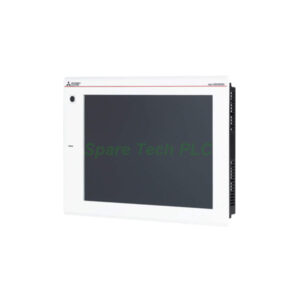
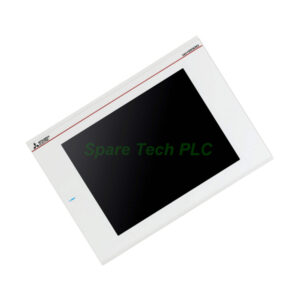
The GT27-V4R1-Z from Mitsubishi Electric is a specialized expansion unit. It belongs to the GOT2000 series and works exclusively with GT27 model HMIs. This unit accepts video and RGB input signals for display on your HMI screen. It provides 4 video input channels and 1 RGB input channel. Therefore, you can show camera feeds, PC outputs, or other video sources directly on your GT27 HMI. This feature is ideal for surveillance, machine vision, and process monitoring applications.
Technical Specifications
Video Input Parameters
Number of channels: 4 channels
Signal type: Composite video (NTSC/PAL formats)
Signal level: 1 Vp-p, 75 Ω impedance
Connector type: BNC connectors
Display mode: One video input per channel at a time
RGB Input Parameters
Number of channels: 1 channel
Signal type: Analog RGB
Signal level: 1 Vp-p, 75 Ω impedance
Synchronization signal: TTL level, 1 kΩ impedance
Connector type: D-sub 15-pin (female) typically
Supported Resolutions and Refresh Rates
XGA: 1024 x 768 pixels at 60 Hz
SVGA: 800 x 600 pixels at 60, 72, or 75 Hz
VGA: 640 x 480 pixels at 60, 72, 75, or 85 Hz
Additionally, the GT27-V4R1-Z allows flexible display options. You can show video on the full screen or in a window. For instance, place a camera feed in a corner while monitoring PLC data on the rest of the screen. Furthermore, you can switch between the 4 video channels programmatically from the HMI or a connected PLC.
Compatibility Requirements
Compatible HMI series: GOT2000 series, GT27 model only
Required HMI firmware: Version 1.100 or higher
Required software: GT Works3 (version 1.100 or higher)
Mounting: Installs inside the GT27 HMI rear slot (no external power needed)
The GT27-V4R1-Z is not compatible with GT25 or GT23 models. Always verify your HMI model before purchasing. The unit draws power directly from the HMI, so no separate power supply is required.
Frequently Asked Questions (FAQ)
1. Which HMI models work with the GT27-V4R1-Z?
This unit works only with GT27 series GOT2000 HMIs. It does not work with GT25, GT23, or older GOT1000 series models. Check your HMI model number on the back label.
2. Can I display all 4 video channels at the same time?
No. The GT27-V4R1-Z displays only one video channel at a time. However, you can switch between channels quickly using HMI scripts or PLC control. For multi-camera viewing, consider a separate video multiplexer.
3. What is the maximum cable length for video inputs?
For composite video (BNC), keep cables under 30 meters for good signal quality. For RGB input, use cables shorter than 5 meters to avoid signal degradation. The GT27-V4R1-Z does not include signal amplification.
4. Do I need special software to use this RGB unit?
Yes. You need GT Works3 version 1.100 or higher. The standard GT Works3 license includes video/RGB functions. No additional license is required for the GT27-V4R1-Z.
5. Does this unit support audio input along with video?
No. The GT27-V4R1-Z supports video and RGB signals only. Audio signals are not accepted. For audio monitoring, use a separate speaker system connected directly to your video source.