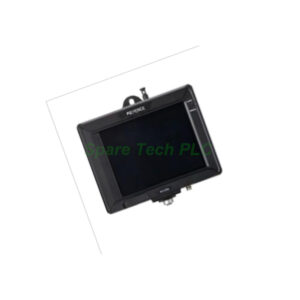
Keyence IV2-CP50 Control Panel | 5.7-Inch Touchscreen
The IV2-CP50 is a 5.7-inch touchscreen control panel for Keyence IV2 and IV Series vision sensors. It offers VGA resolution, Ethernet and USB ports, and a durable IP40 housing.


The IV2-H1 provides a complete software environment for IV2 and IV Series vision sensors. This package includes IV2-Navigator for the IV2 Series and IV-Navigator for the IV Series. Furthermore, it connects to sensors over standard Ethernet. As a result, engineers can configure, monitor, and fine-tune inspections from a desktop or laptop.
This Keyence software belongs to the IV2 Series family. It works as a companion tool rather than a hardware controller. Meanwhile, it supports the full setup workflow, from initial configuration to long-term parameter management. Therefore, it suits both commissioning engineers and maintenance teams.
The package contains two applications. First, IV2-Navigator handles IV2 Series sensors. Second, IV-Navigator supports IV Series sensors. Both tools run on a standard PC and communicate through Ethernet at 100BASE-TX speed.
The interface is entirely PC-based, so the product has no built-in ports of its own. Instead, protocols follow the connected sensor. For instance, sensor communication settings determine how data flows between the PC and the vision head. Additionally, no communication expansion options apply to this software.
Because the IV2-H1 is software, electrical ratings do not apply. Similarly, environmental and physical specifications do not apply in the traditional hardware sense. The software runs on the host PC, so its performance depends on the computer and network environment.
First, confirm that your PC meets the operating requirements for the Navigator software. Next, install the application from the provided media or download package. Then, connect the PC to the vision sensor through an Ethernet cable. After that, set the PC network adapter to match the sensor subnet. Finally, launch IV2-Navigator or IV-Navigator and search for connected devices.
Keep the network cable away from high-voltage wiring. This step reduces interference during configuration. Also, close other bandwidth-heavy applications while monitoring live images. Moreover, save parameter files regularly to avoid losing inspection recipes. For stable performance, use a dedicated network switch when multiple sensors are online.
1x Keyence IV2-H1 PC Software
1x IV2-Navigator Installation Package
1x IV-Navigator Installation Package
1x Quick Start Guide
Shipping is available via Fedex, UPS, and DHL.
Q1: What is included in the IV2-H1 package?
A: The package includes IV2-Navigator for IV2 Series sensors and IV-Navigator for IV Series sensors. It also ships with a quick start guide.
Q2: Which sensors work with this Keyence software?
A: It supports both IV2 Series and IV Series vision sensors.
Q3: How does the software connect to a sensor?
A: It connects over Ethernet at 100BASE-TX speed. Protocols depend on the connected sensor.
Q4: Does the IV2-H1 require a power supply?
A: No. It is PC software, so electrical ratings do not apply. The host PC provides all power.
Q5: Can I monitor live inspections with this software?
A: Yes. The Navigator applications allow real-time monitoring, parameter adjustment, and inspection result review.
| Brand Name | |
| Model No. | IV2-H1 |
| Product Type | PC Software |
| hasMerchantReturnPolicy | Adjust according to reality |
| Shippingdetails | Adjust according to reality |
The IV2-CP50 is a 5.7-inch touchscreen control panel for Keyence IV2 and IV Series vision sensors. It offers VGA resolution, Ethernet and USB ports, and a durable IP40 housing.
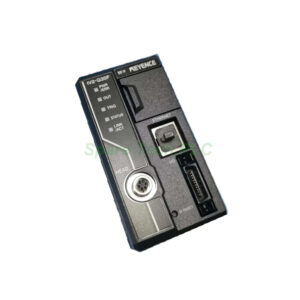
The IV2-G30 is a standard sensor amplifier from the Keyence IV2 Series. It offers 16 detection tools, 8 inputs, 8 outputs, and built-in Ethernet for fast vision inspection setup.

The IV-HG500CA is a compact color sensor head for Keyence IV-HG10 and IV-HG15 amplifiers. It offers a 20 to 500 mm range, 1/3-inch CMOS imaging, auto focus, and IP67 protection.
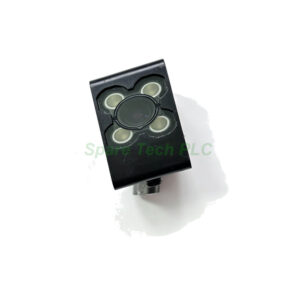
The IV-HG500MA is a compact monochrome sensor head for Keyence IV-HG10 and IV-HG15 amplifiers. It offers a 20 to 500 mm range, 1/3-inch CMOS imaging, auto focus, and IP67 protection.
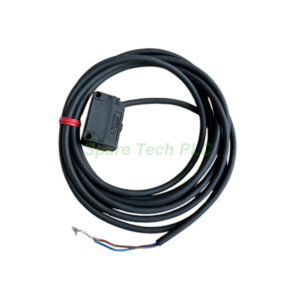
The PZ-G61P is a Keyence rectangular retro-reflective sensor with a 0.1–4.2 m range, PNP output, and a 2 m cable. Its IP69K housing suits washdown lines and general factory automation.
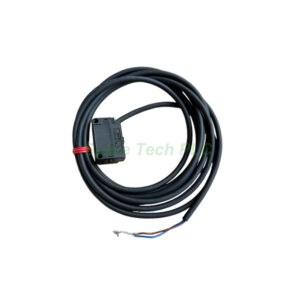
The PZ-G61N is a Keyence rectangular retro-reflective sensor with a 0.1–4.2 m range, NPN output, and a 2 m cable. Its IP69K housing suits washdown lines and general factory automation.
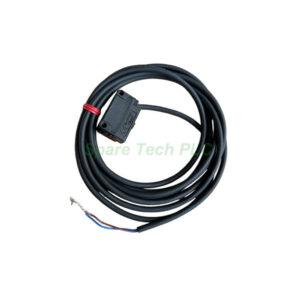
The PZ-G61CB is a Keyence M18 threaded retro-reflective sensor with a 0.1–4.2 m range and bipolar NPN/PNP output. Its IP69K housing fits washdown lines, and the M12 connector simplifies replacement.
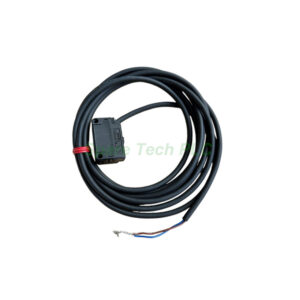
The Keyence PZ-G42EN is a short-range diffuse reflective photoelectric sensor with a 300 mm detection range. It offers NPN open collector output, IP69K protection, and reliable performance in demanding industrial environments.

LR-ZB100C3P Photoelectric Laser Sensor: Installation and Maintenance Guide Product Introduction The Keyence LR-ZB100C3P belongs to the LR-Z series of self-contained laser sensors. Specifically, it delivers reliable detection of small targets…

Keyence LR-ZB250C3P Laser Sensor: Setup and Maintenance Guide Product Introduction The Keyence LR-ZB250C3P belongs to the LR-Z series of self-contained CMOS laser sensors. Specifically, this rectangular model features a PNP…
Explore the Schneider Electric BMXXBP0600 backplane with six bus slots, low power consumption, and robust certifications. This buyer's guide helps you evaluate its fit for your Modicon control system.

Discover the Schneider BMENOC0301 communication module for Modicon M580 PACs. Supports EtherNet/IP and Modbus TCP with embedded multiport switch. Available at SpareTechPLC.
Fast delivery for urgent requirements.
Large stock ensures immediate availability.
Authentic, high-quality PLC components.
Reliable support to clients worldwide.