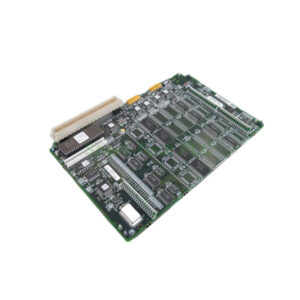
IC695PMM335 GE Multi-Axis Motion Controller
Product Introduction
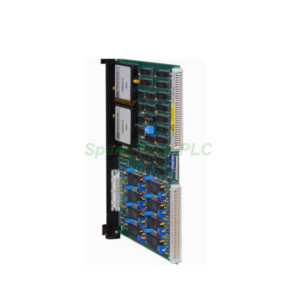
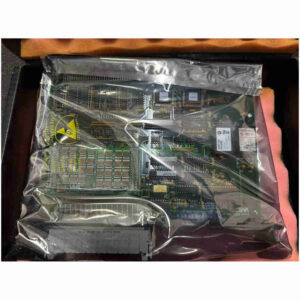
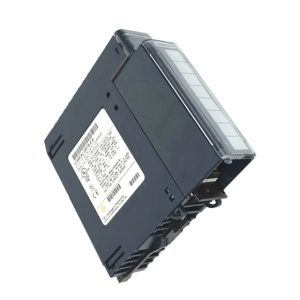
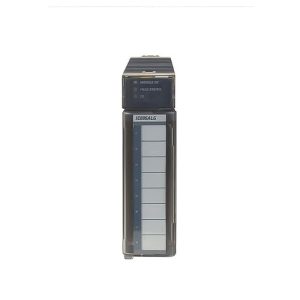
The IC695PMM335 motion controller comes from the Emerson Automation PACSystem RX3i series, formerly developed by GE Intelligent Platforms. This module fits into a single RX3i rack slot. It controls up to four physical servo axes plus virtual or time-based axes. Many engineers choose this module for its fast update rates and flexible I/O.
Additionally, the IC695PMM335 supports three control loops: position loop at 500μs, velocity loop at 125μs, and torque loop at 62.5μs. The built-in I/O includes four general-purpose 24VDC isolated inputs, two high-speed 24VDC inputs, and two configurable 24VDC isolated I/O points. All these are optically isolated and support source or sink wiring.
Technical Specifications
Below are the key technical details for the IC695PMM335.
Controlled Axes: 4 servo axes + virtual/time-based axes
Backplane Support: Universal backplane only
Motion Path Planning: 1 ms
Position Loop Update: 500 μs
FSSB Velocity Loop Update: 125 μs
FSSB Torque Loop Update: 62.5 μs
Power Consumption: 0.45 A at 5 V; 1.1 A at 3.3 V
Servo Command Interface: Fiber optic via FANUC Serial Servo Bus (FSSB)
FSSB Speed: 50 Mb/s
Max FSSB Cable Length: 100 m between nodes; 400 m per module
High-Speed Position Capture: 2 inputs per axis
Compatible Encoders: Incremental or absolute serial encoder
Floating Point Math: Yes
General Purpose Inputs: 4 x 24VDC optically isolated (source/sink)
High-Speed Inputs: 2 x 24VDC (source/sink)
General Purpose I/O: 2 x 24VDC optically isolated (source/sink)
Mechanical & Environmental Parameters
Slot Requirement: 1 single slot
Weight: Approximately 0.65 kg
Operating Temperature: 0°C to 60°C
Storage Temperature: -40°C to 85°C
Humidity: 5% to 95% non-condensing
Shock & Vibration: Compliant with industrial automation standards
Installation Guidelines
Installing the IC695PMM335 is straightforward. First, ensure the RX3i backplane is powered off. Then insert the module into any available slot; it only supports the universal backplane. After securing the module, connect the fiber optic cables to the FSSB ports. Next, wire the faceplate I/O terminals according to your sink or source configuration. Finally, power on the system and configure the module using Proficy Machine Edition software.
For best performance, keep the FSSB cable length under 100 meters between nodes. Avoid sharp bends in the fiber optic cable. You can install up to eight IC695PMM335 modules per rack, controlling up to 40 axes in total.
Packaging List
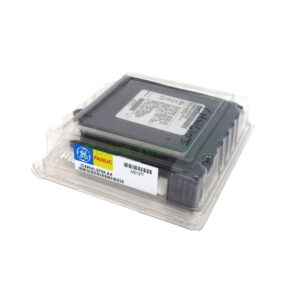
Note: Cables, certificates, and warranty documents are not included.
Shipping Method
All orders ship via FedEx, UPS, or DHL with tracking and insurance.
Frequently Asked Questions (FAQ)
1. Can the IC695PMM335 control both servo and virtual axes?
Yes. It controls up to four real servo axes plus additional virtual or time-based axes.
2. What software is required to program this module?
You need Proficy Machine Edition. This software also allows data logging upload and display.
3. Does the module support absolute encoders?
Yes. It works with both incremental and absolute serial encoders.
4. How many IC695PMM335 modules can one RX3i rack hold?
You can install up to eight modules per rack, controlling up to 40 motion axes.
5. What is the maximum FSSB cable length for this controller?
Each segment between nodes can be up to 100 meters. The total length per module is 400 meters.