Technical Specifications
Core Protocols & Communication Features
The
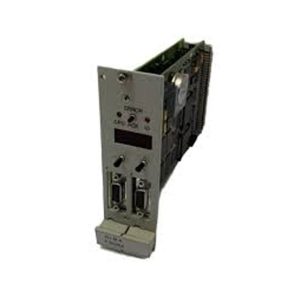
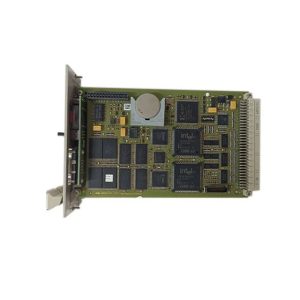
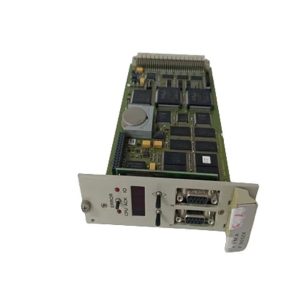
HIMA F8628X is primarily designed as a Profibus DP slave module to enable seamless industrial communication. Specifically, it supports the Profibus DP protocol, which is widely used for fast data exchange between industrial devices and controllers. Additionally, this module introduces a new feature: ELOP II programming via Ethernet, which requires ELOP II V4.1 or later to function properly.
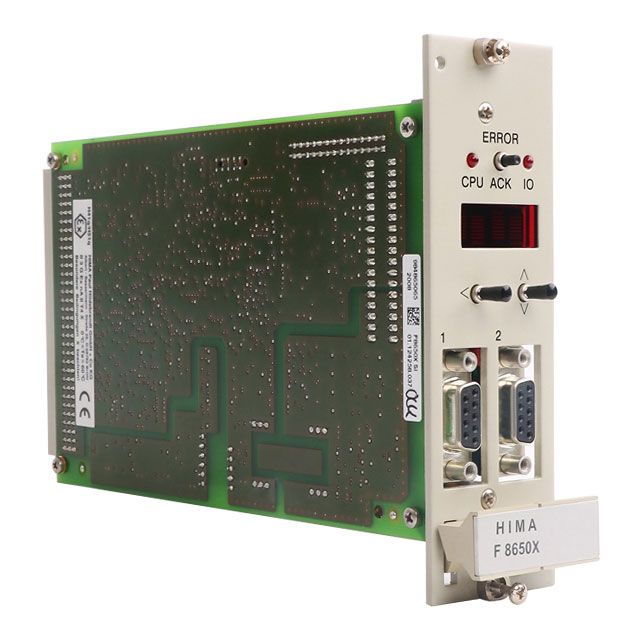
Furthermore, the F8628X comes with two key interfaces to meet diverse connectivity needs. It has a9-pole SUB-D interface for Profibus DP communication and a100Base-T Ethernet interface with an RJ45 connector for ELOP II programming. Meanwhile, these dual interfaces ensure the module can integrate into both Profibus and Ethernet networks effortlessly.
Compatibility with HIMA CPUs
The HIMA F8628X is specifically engineered to work with new HIMA CPUs for H41q/H51q systems. First, it is fully compatible with safe CPUs including the F8650X and F8652X, which are designed for safety-critical applications up to SIL 3. Next, it also supports non-safe CPUs such as the F8651X and F8653X, which handle non-safety-related control tasks in industrial systems.
Besides, HIMA retains its existing F8627 and F8628 communication modules in the product portfolio. This means users can select the most appropriate module based on their network protocol needs and budget without replacing their entire H41q/H51q system. The F8628X thus ensures seamless integration with both new and existing HIMA system setups.
Mechanical & Environmental Parameters
Mechanical Dimensions
The HIMA
F8628X features a compact, industry-standard 19-inch design that fits perfectly into H41q/H51q system racks. Its height is 3 height units (HU), which equals 3 × 44.45 mm. The width of the module is4 width units (WU), or 4 × 5.08 mm. This compact size makes it easy to install in standard industrial control cabinets without occupying excessive space.
Environmental Requirements
The F8628X operates reliably in typical industrial environments. It can withstand a wide range of operating temperatures, ensuring stable performance even in harsh industrial conditions. Additionally, it meets strict industrial standards for humidity resistance, allowing it to work in environments with 5% to 95% non-condensing humidity. This durability makes it suitable for use in various industrial settings, from chemical plants to power stations.
Moreover, the module adapts to common industrial temperature ranges, typically working well between -20℃ and 60℃ for long-term stability. It also resists vibration and electromagnetic interference, which is essential for continuous operation in busy industrial sites with multiple electronic devices.
Compliance Standards
The HIMA F8628X complies with multiple international standards to ensure quality, safety, and compatibility. It meets IEC 61131-2 and EN 61000-6 standards for electrical safety and electromagnetic compatibility. Furthermore, it adheres toEN 50081-2, EN 50082-2, IEEE 802.3, and EN 50170 standards, confirming its reliability and compatibility in global industrial applications.
Installation Guide
Pre-Installation Preparation
Before installing the HIMA F8628X, you need to check the H41q/H51q rack slot to ensure it matches the module’s size and dimensions. First, turn off the system power completely to avoid electrical damage during the installation process. Next, prepare the necessary tools, including a screwdriver, Profibus cable, and Ethernet cable, to ensure a smooth installation.
Additionally, confirm that the connected CPU model (either F8650X/F8652X or F8651X/F8653X) is compatible with the F8628X. This step prevents compatibility issues and ensures smooth communication between the module and the CPU after installation.
Step-by-Step Installation
Installing the HIMA F8628X is straightforward and aligns with H41q/H51q system rack installation procedures. First, align the module with the appropriate slot in the 19-inch rack and slide it in until it clicks into place securely. Next, secure the module to the rack using the provided screws to ensure stability and prevent loose connections during operation.
After physical installation, connect the Profibus cable to the 9-pole SUB-D interface and the Ethernet cable to the RJ45 port on the module. Then, double-check all connections to make sure they are firm and free of loose wires. Finally, power on the system and configure the module using ELOP II V4.1 or later to set up Profibus DP and Ethernet programming parameters.
Post-Installation Check
Once the F8628X is installed and configured, test its communication functions to ensure normal operation. Check the Profibus DP connection between the module and other industrial devices, as well as the Ethernet communication for ELOP II programming. If any issues arise, recheck the wiring and software configuration to resolve them promptly.
Packaging List
1 × HIMA F8628X Profibus DP Slave Communication Module
Protective anti-static packaging
Outer carton for safe transportation
FAQ
Q1: What protocol does the HIMA F8628X support? A1: The HIMA F8628X primarily supports the Profibus DP slave protocol and enables ELOP II programming via Ethernet (from ELOP II V4.1).
Q2: Which HIMA CPUs are compatible with the F8628X? A2: It works seamlessly with new HIMA CPUs: F8650X/F8652X (safe CPUs) and F8651X/F8653X (non-safe CPUs) for H41q/H51q systems.
Q3: What interfaces does the HIMA F8628X have? A3: It comes with a 9-pole SUB-D interface for Profibus DP and a 100Base-T RJ45 interface for Ethernet communication.
Q4: How is the HIMA F8628X shipped? A4: We ship the F8628X worldwide via Fedex, UPS, and DHL for fast and secure delivery.
Q5: What are the dimensions of the HIMA F8628X? A5: It is a 19-inch module with 3 height units (3×44.45 mm) and 4 width units (4×5.08 mm), fitting standard H41q/H51q racks.