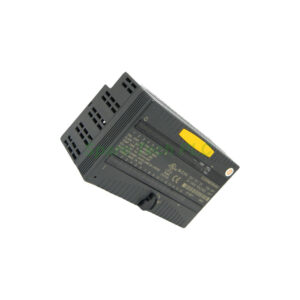
Product Introduction
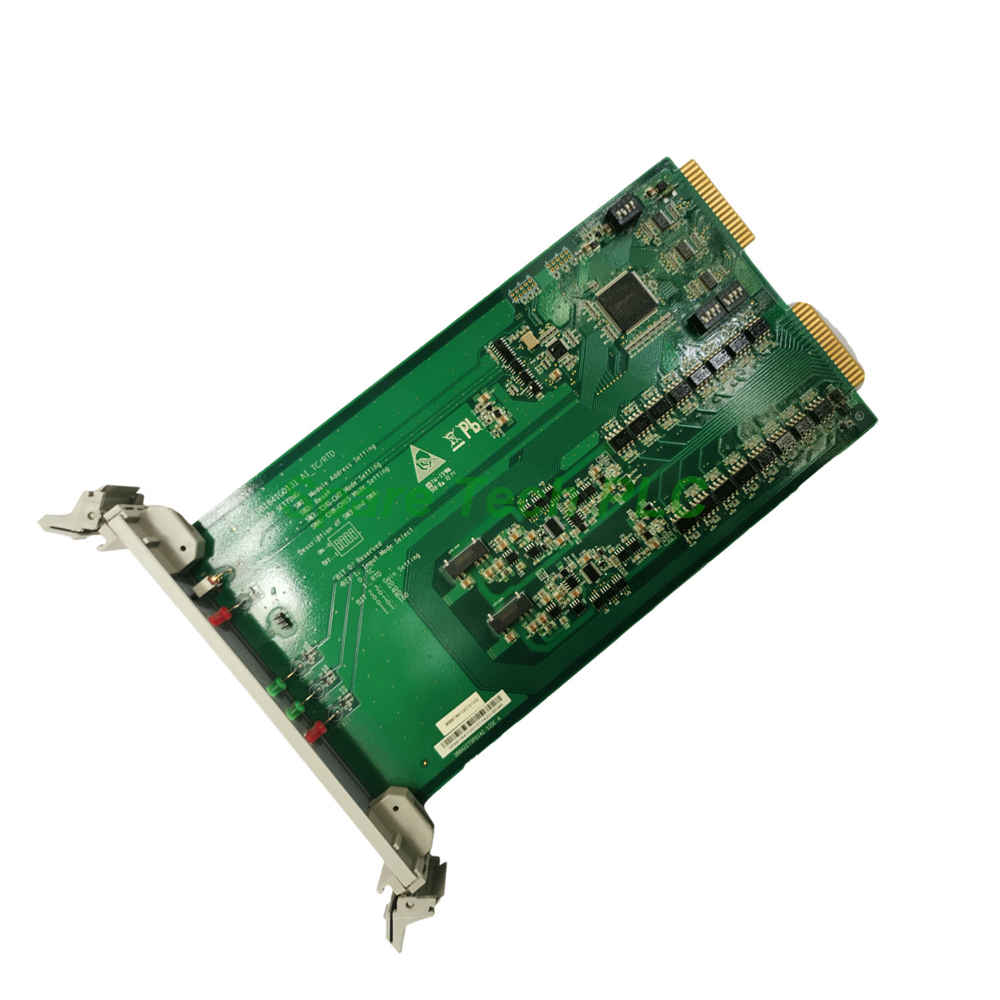
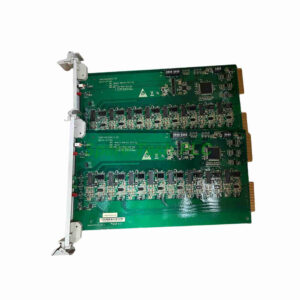
The GE Nexus 369B1841G0131 serves as a versatile analog input module within the GE XDPS distributed control system architecture. This 16-channel card accepts MA/V (milliamp/volt) signals from field sensors and transmitters. It converts these analog readings into digital values for the main controller. The module supports both Profibus IO and IO-Link communication protocols. These interfaces enable seamless integration with higher-level control networks. Consequently, the 369B1841G0131 plays a vital role in process monitoring and automation tasks across various industries.
Technical Specifications
The GE Nexus 369B1841G0131 offers flexible input handling and robust communication capabilities. Its technical parameters support a wide range of analog field devices.
Input Channels: 16 analog input channels
Signal Type: MA/V (milliamp/volt) configurable
Network Type: Profibus IO
Interface Type: IO-Link
Protocol Support: Profibus DP, IO-Link
Resolution: 16-bit analog-to-digital conversion
Update Rate: Configurable per channel
Specifically, the 369B1841G0131 provides 16 individually configurable input channels. Each channel handles either current (mA) or voltage (V) signals. This flexibility accommodates diverse sensor types. Additionally, the Profibus IO interface enables high-speed cyclic data exchange with the XDPS controller. The IO-Link interface adds point-to-point communication capability for intelligent sensors. Furthermore, the module features built-in diagnostics for channel status monitoring.
Mechanical and Environmental Parameters
The GE Nexus 369B1841G0131 is built for reliable operation in industrial settings. Its enclosure protects internal electronics from common environmental hazards.
Protection Rating: IP55
Operating Temperature: -25°C to 60°C
Storage Temperature: -40°C to 85°C
Humidity: 5% to 95% (non-condensing)
Dimensions: 160mm x 100mm x 60mm
Weight: 0.8 kg
Moreover, the IP55 rating offers protection against dust ingress and low-pressure water jets. Therefore, the 369B1841G0131 suits installation in control cabinets with moderate environmental exposure. Meanwhile, its compact dimensions facilitate installation in space-constrained panels.
Installation and Mounting Guide
Proper installation ensures accurate signal acquisition and long-term reliability. Follow these guidelines when integrating the 369B1841G0131 into your system.
Mounting Type: DIN rail mount or panel mount
Termination: Removable screw terminal blocks
Wiring: Shielded twisted-pair cables recommended
Grounding: Single-point earth ground connection
First, mount the module securely on a standard 35mm DIN rail. Next, connect the Profibus IO cable to the designated port. Then, wire field sensors to the terminal blocks according to the channel configuration. Additionally, use shielded cables for signal wiring to minimize electrical noise. Finally, configure the module address and channel parameters via the XDPS engineering tool. For instance, set each channel to either current or voltage mode based on your sensor type.
Packaging List
Your shipment of the 369B1841G0131 module includes the following items:
GE Nexus 369B1841G0131 Analog Input Module
Installation and configuration guide
Terminal block connector set
Note: Certificates and warranty documents are not included in the standard packaging.
Shipping Information
We ensure secure delivery through trusted global carriers.
Shipping Partners: FedEx, UPS, DHL
Packaging: Anti-static bags with cushioning material
Frequently Asked Questions (FAQ)
1. What systems is the GE Nexus 369B1841G0131 compatible with?
The 369B1841G0131 is specifically designed for GE XDPS distributed control systems. It communicates via Profibus IO protocol with the main controller.
2. How many analog inputs does this module support?
The GE Nexus 369B1841G0131 provides 16 analog input channels. Each channel handles either milliamp or voltage signals based on user configuration.
3. What is the protection rating of the 369B1841G0131?
The 369B1841G0131 carries an IP55 protection rating. This means it resists dust ingress and low-pressure water jets, suitable for industrial cabinet installations.
4. How do I configure the channels on this module?
Use the XDPS engineering software tool to configure each channel. You can set the signal type, scaling, and update rate individually for all 16 inputs.
5. What interface options does the 369B1841G0131 offer?
The module features both Profibus IO and IO-Link interfaces. The Profibus IO handles cyclic data exchange with the XDPS system, while IO-Link supports intelligent device communication.