Home /
Products /
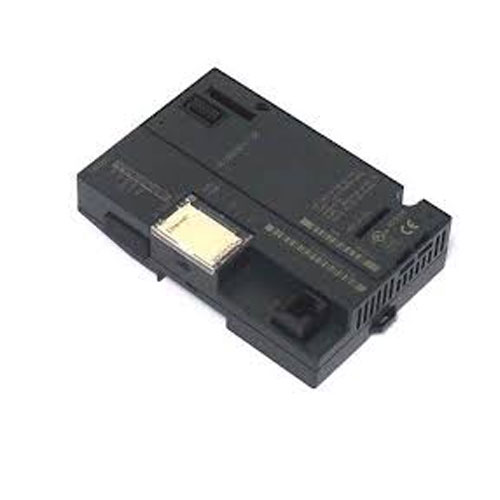
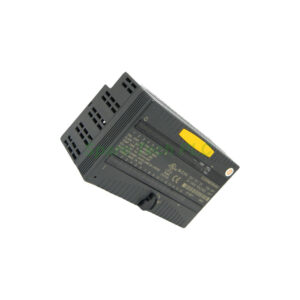
GE IC200EBI001 VersaMax Ethernet NIU Interface Module
GE IC200EBI001 VersaMax Ethernet NIU Interface Module
IC200EBI001
Manufacturer: GE Series: VersaMax Model Number: IC200EBI001 Weight: 0.14 kg Condition: In Stock Availability: 100% Original Brand New Product Origin: U.S.A Shipping port: Xiamen Warranty: 12 Month
Product Description
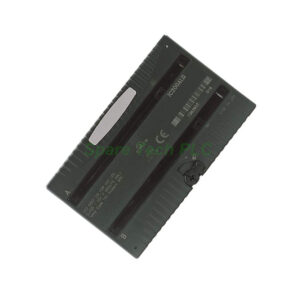
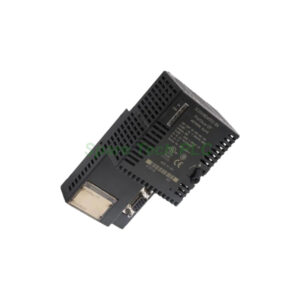
The IC200EBI001 ENIU serves as the interface between the Ethernet network and remote VersaMax I/O modules.
It operates as a local controller for field I/O terminals, supporting both local and distributed system architectures.
IP addressing is set via three rotary switches (default: 195.0.0.x) or manually using ARP commands.
The module supports auto-configuration on power-up and provides comprehensive diagnostics via front LEDs.
It can be DIN‑rail mounted and requires a directly connected power supply with locking latches.
Technical Specifications
Brand: GE Intelligent Platforms / GE Fanuc (now Emerson Automation)
Series: VersaMax
Type: Ethernet Network Interface Unit (NIU)
Communication Ports: 1 × Ethernet
Speed: 10/100 Mbps, auto-negotiation
Connector: RJ45
Cable: CAT5
Topology: Linear / Point-to-Point
Max Distance: 100 meters
I/O Capacity:
Up to 1024 discrete I/O points (512 DI / 512 DO)
V1.0: up to 8 I/O modules
V1.01+: up to 64 I/O modules with 7 expansion racks
LED Indicators: PWR, OK, FAULTS, LAN, STAT (total 5)
Mounting: DIN Rail
Dimensions: 13.34 × 8.59 cm
Weight: 0.14 kg
Diagnostics: 4 user diagnostic data words
Installation Guide
Mount the IC200EBI001 on a standard DIN rail.
Install the power supply directly onto the unit with the latch unlocked, then lock after seating.
Set the IP address using the X1, X10, X100 rotary switches.
Connect the Ethernet cable using CAT5 cable to the RJ45 port.
Add I/O modules to the main or expansion racks as needed.
Power up the system; auto-configuration will run on first startup.
Monitor status using the five front-panel LEDs.
Packing List
1 × GE IC200EBI001 Ethernet NIU Module
Product label & quick configuration guide
Shipping methods: FedEx, UPS, DHL.
Frequently Asked Questions
1. What is the IC200EBI001 used for?
It is an Ethernet Network Interface Unit that controls distributed VersaMax I/O over Ethernet.
2. What is the Ethernet speed?
It supports 10/100 Mbps auto-negotiation.
3. How is the IP address set?
Using 3 rotary switches (default 195.0.0.x) or via the ARP‑S DOS command.
4. How many I/O modules does it support?
V1.0: up to 8 modules; V1.01+: up to 64 I/O modules with 7 expansion racks.
5. What LEDs are provided?
PWR, OK, FAULTS, LAN, STAT – 5 status indicators total.
Attention: The above product information is sourced from the internet and cannot be guaranteed to be authentic.
For specific product parameters and prices, please contact
SpareTech PLC professionals in a timely manner.
Brand Name
GE
Model No.
IC200EBI001
Product Type
Ethernet Network Interface Unit (NIU / ENIU)
hasMerchantReturnPolicy
Adjust according to reality
Shippingdetails
Adjust according to reality
The IC200EBI001 is an Ethernet Network Interface Unit (NIU) for the GE VersaMax PLC system, now produced by Emerson Automation. It acts as an Ethernet slave to manage and control remote I/O modules, enabling a distributed I/O architecture. It supports 10/100 Mbps auto-negotiation and can be configured via rotary switches or software. SpareTech PLC provides you with a PDF version of the instructions about
GE IC200EBI001,
where you can download the
GE IC200EBI001 manual PDF for free: Download PDF