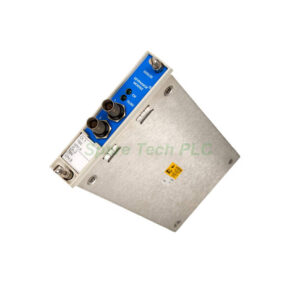
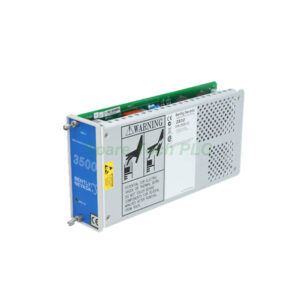
3500/94M-07-12-01 Bently Nevada VGA Display Module
Product Introduction
The Bently Nevada 3500/94M-07-12-01 serves as a visual interface for your 3500 series machinery protection system. This module connects directly to the rack's high-speed network. It transmits monitor status, real-time values, and diagnostic data to an external display. Additionally, this version comes as a router box without an integrated screen. You will need a separate display like the Advantech FPM-8151. The 3500/94M-07-12-01 supports resistive touch screens through its RS232 port. Its low power consumption makes it ideal for continuous industrial operation.
Key Technical Specifications
The Bently Nevada 3500/94M-07-12-01 operates with a maximum power draw of only 4.6 watts. It requires a 24 Vdc input with a permissible range of 22.5 to 25.5 Vdc. For video output, the module provides a standard VGA port carrying analog red, green, blue, and sync signals. It also features a front port that delivers 24 Vdc power, VGA signal, and touch command inputs.
Communication with other system modules happens via the high-speed network. The front panel includes an OK LED to confirm proper operation. A separate TX/RX LED indicates active data exchange with other rack modules. For touch screen integration, the module uses an RS232 port (I/O) to handle touch controller data. The ordering code 07-12-01 breaks down as follows: "07" means router box with no display, "12" specifies a 20 ft (6m) display router box cable, and "01" confirms CSA/NRTL/C approval for Class I, Division 2.
Environmental and Compliance Limits
This module works reliably across a wide temperature range. Its operating temperature spans from -20°C to 65°C (-22°F to 149°F). Storage temperatures can go from -40°C to 85°C (-40°F to 185°F). Furthermore, it handles humidity up to 95% non-condensing.
Regarding compliance, the 3500/94M-07-12-01 meets several important standards. It complies with FCC Part 15 rules. For EMC, it follows EN 61000-6-2 and EN 61000-6-4 under Directive 2014/30/EU. Electrical safety is certified per CSA C22.2 61010-1 and UL EN 61010-1 (Directive 2014/35/EU). It also meets RoHS Directive 2011/65/EU.
Physical Dimensions and Weight
The monitor module portion of the 3500/94M-07-12-01 measures 241.3 mm high x 24.4 mm wide x 241.8 mm deep (9.5 x 0.96 x 9.52 inches). This part weighs 0.73 kg (1.6 lb). The separate I/O module has dimensions of 241.3 mm x 24.4 mm x 99.1 mm (9.50 x 0.96 x 3.90 inches) and weighs 0.34 kg (0.75 lb). The total shipping weight including the router box and cable is 1.07 kg.
Rack Space Requirements
You will need specific rack slots for installation. The monitor module occupies one full-height front slot. Meanwhile, the I/O module takes one full-height rear slot. This arrangement allows efficient use of your 3500 series rack space.
KVM Extender and Display Considerations
The KVM extender included with this product requires careful placement. The receiver unit is approved for Class I, Division 2 hazardous areas in North America. However, the transmitter is not certified for hazardous use. You must install the transmitter in a safe area or inside an approved enclosure like a purged cabinet. The KVM extender mounts on a shelf top. It needs both 12 Vdc and 5 Vdc power inputs. Its temperature range is limited to 0°C to 45°C (32°F to 113°F) with 80% non-condensing humidity. Note that the KVM extender does not carry NEMA 4X approval.
System Requirements for the 3500/94M-07-12-01
Before purchasing the Bently Nevada 3500/94M-07-12-01, verify your existing system components. This module absolutely requires the 3500/22 Transient Data Interface (TDI) module. Additionally, you must have these firmware and software minimum versions:
3500/94M Firmware 4.06, Rev. C
3500/22 Firmware Rev 1.71
3500/01 Rack Config Software Rev 5.6
3500/02 Op Display Software Rev 2.21
3500/03 Data Acquisition Software Rev 1.22
Installation Guidelines
Follow these steps to install the 3500/94M-07-12-01 properly. First, ensure the 3500 rack is powered off completely. Next, insert the monitor module into any full-height front slot. Slide it in carefully until the connectors seat firmly. Then, install the I/O module into the corresponding rear slot. Tighten the retaining screws to secure both modules.
For the KVM extender, place the receiver in the hazardous area if needed. Install the transmitter only in a safe, non-hazardous location. Connect the 20 ft cable between the router box and your display. Finally, apply 24 Vdc power and verify the OK LED illuminates.
Packaging List
3500/94M Monitor Module (router box type, no display) – 1 unit
I/O Module for 3500/94M – 1 unit
KVM Extender Set (Transmitter + Receiver) – 1 set
Display Router Box Cable, 20 ft (6m) – 1 piece
Screw terminal connectors – 2 pieces
Quick start installation guide – 1 copy
*Note: Display screen (e.g., Advantech FPM-8151) is sold separately.*
Shipping Carrier: FedEx, UPS, DHL
Frequently Asked Questions (FAQ)
Q1: Does the 3500/94M-07-12-01 include a display screen?
No, this is the "router box, no display" version. You must purchase a separate VGA-compatible display such as the Advantech FPM-8151.
Q2: Can I use this module without the 3500/22 TDI module?
No, the 3500/94M requires the 3500/22 Transient Data Interface module to function correctly. Your system will not recognize the display module without it.
Q3: Is the entire KVM extender approved for hazardous locations?
Only the receiver unit carries Class I, Division 2 approval. The transmitter must stay in a safe area or inside a purged enclosure.
Q4: What is the minimum operating temperature for this module?
The 3500/94M-07-12-01 itself operates from -20°C to 65°C. However, if you use the Advantech FPM-8151 display, that screen requires 0°C minimum. A heated enclosure becomes necessary below freezing.
Q5: How do I know if my existing firmware supports this module?
Check your 3500/22 TDI firmware version. It must be Rev 1.71 or newer. Also verify your rack configuration software is Rev 5.6 or higher. Older versions will not communicate with the 3500/94M-07-12-01.