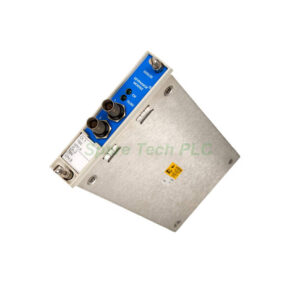
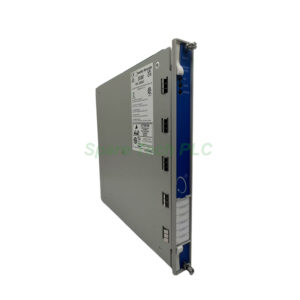
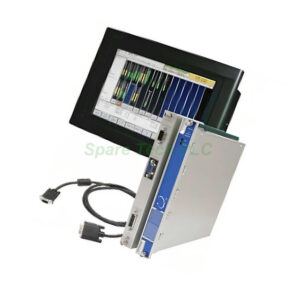
Bently Nevada 3500/94M-07-12-00 VGA Display Module
Product Introduction
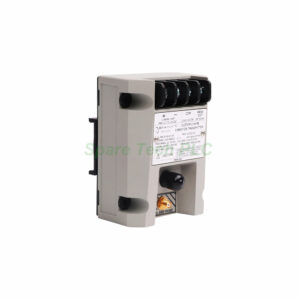
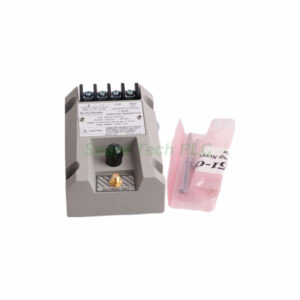
The 3500/94M-07-12-00 from Bently Nevada provides visual monitoring for 3500 rack systems. This VGA Display Module connects operators to machine health data. The configuration includes a router box, a 20 ft (6m) cable, and a 15" Advantech display. Additionally, this module supports touch screen control via RS232. Therefore, you get real-time visibility into your machinery protection system.
Ordering Code Breakdown
The 3500/94M-07-12-00 follows a structured ordering format. The "07" specifies a router box with no integrated display. The "12" indicates a Display Router Box cable of 20 ft (6m). The "00" means no agency approval option selected. This modular approach lets you build exactly what your application needs.
Power Consumption and Network Connectivity
The 3500/94M consumes only 4.6 watts maximum during operation. It connects to the high-speed network for monitoring status, data, and values. An RS232 port handles touch controller data input and output. This efficient design minimizes heat generation inside the 3500 rack.
Front Panel LEDs and Status Indication
Two LEDs provide clear operational feedback. The OK LED indicates proper operation of the module. The TX/RX LED flashes when communications occur between other system modules. These simple indicators help you verify module health at a glance.
Physical Characteristics
3500/94M VGA Display Module
I/O Module
Height x width x depth: 241.3 mm x 24.4 mm x 99.1 mm (9.50 in x 0.96 in x 3.90 in)
Weight: 0.34 kg (0.75 lb)
Rack space: 1 full-height rear slot
Advantech 15" Display (FPM-8151)
The 3500/94M-07-12-00 pairs with an Advantech FPM-8151 industrial display. The screen measures 15 inches diagonally and uses LCD with LED backlight. This industrial-hardened unit supports both 19" rack mount and panel mount styles. A 24 Vdc power supply is included, with a permissible range of 12 Vdc to 24 Vdc. Inrush current reaches 2.62 A at 24 V for less than 500 µs. Operating current stays below 500 mA. The display carries IP65 rating for front-panel protection.
Display Dimensions
Width x height x depth: 422 mm x 338 mm x 68 mm (16.61 in x 13.31 in x 2.68 in)
Panel cutout: 396 mm x 296 mm (15.59 in x 11.65 in)
Weight: 8.5 kg (18.75 lb)
KVM Extender Specifications
The Keyboard Video Monitor (KVM) Extender mounts on a shelf top. Power input requires both 12 Vdc and 5 Vdc. The temperature range spans 0ºC to 45ºC (32ºF to 113ºF). Humidity tolerance reaches 80%, non-condensing.
Important Hazardous Area Notes
The KVM Extender Receiver is approved for Class I, Division 2 hazardous areas in North America.
The KVM Extender Transmitter is not certified for hazardous usage.
Therefore, you must install the transmitter in a safe area or inside an approved enclosure such as a purged housing or cabinet.
NEMA 4X rating is not approved for this extender.
Display Router Box (Configuration "07")
The router box configuration includes specific input and output features.
Inputs
Power: +24 Vdc ± 6%, 4.7 watts maximum
Input range: 22.5 to 25.5 Vdc
VGA inputs: Video image signals
RS232 inputs: Touch screen control data
Outputs
OK status LED: Indicates proper operation
VGA output: Video image signal
RS232 output: Touch screen control data
Environmental Limits
The 3500/94M module itself handles wide temperature ranges. Operating temperature spans -20°C to 65°C (-22°F to 149°F). Storage temperature extends from -40°C to 85°C (-40°F to 185°F). Humidity tolerance reaches 95%, non-condensing.
Display Temperature Note
The Advantech screen has different limits. Operating temperature ranges from 0 to 60°C (32°F to 140°F). Therefore, when the screen or front bezel is exposed to temperatures below 0°C (32°F), you must use a heated enclosure.
Firmware and Hardware Requirements
The 3500/94M-07-12-00 requires specific supporting components. First, it needs a 3500/22 Transient Data Interface (TDI) module. Additionally, you must have these minimum firmware and software versions:
3500/94M Firmware: 4.06, Rev. C
3500/22 Firmware (TDI): Rev 1.71
3500/01 Software (Rack Config): Rev 5.6
3500/02 Software (Op Display): Rev 2.21
3500/03 Software (Data Acquisition): Rev 1.22
Compliance and Certifications
The 3500/94M complies with several important standards. It meets FCC Part 15 requirements. EMC standards include EN 61000-6-2 and EN 61000-6-4, following Directive 2014/30/EU. Electrical safety conforms to CSA C22.2 61010-1 and UL EN 61010-1 under Directive 2014/35/EU. RoHS compliance follows Directive 2011/65/EU.
Installation Guidelines
Installation requires careful planning. First, ensure your 3500 rack has a 3500/22 TDI module installed. Next, insert the 3500/94M main module into one full-height front slot. Then, mount the I/O module into the corresponding rear slot. For the display, mount the Advantech FPM-8151 in a panel or rack. Finally, connect the 20 ft (6m) cable between the router box and the display. Remember to install the KVM Extender Transmitter only in a safe area.
Packaging and Delivery
Packaging List
3500/94M-07-12-00 Main Module (1 unit)
I/O Module (1 unit)
Display Router Box (no display)
20 ft (6m) Display Router Box Cable
Advantech 15" Display FPM-8151 (optional, included)
KVM Extender set (Transmitter and Receiver)
Power supply for display
Note: No certificates or warranty documents are included in the package. Display warranty is two years from manufacturer.
Shipping Methods
FedEx, UPS, DHL
Frequently Asked Questions
1. Can I use the 3500/94M-07-12-00 without the Advantech display?
Yes. The "07" option specifies a router box with no display. You can connect a compatible third-party VGA display, but Bently Nevada recommends the Advantech FPM-8151 for full compatibility.
2. Why must I install the KVM Extender Transmitter in a safe area?
The transmitter is not certified for hazardous locations. Only the receiver carries Class I, Division 2 approval. Therefore, the transmitter requires a safe area or an approved purged enclosure.
3. What happens if my 3500 rack lacks a TDI module?
The 3500/94M will not function properly. You must have a 3500/22 Transient Data Interface (TDI) module installed in the same rack for operation.
4. Can the Advantech display operate outdoors in cold weather?
No. The display's minimum operating temperature is 0°C (32°F). For temperatures below freezing, you must provide a heated enclosure for the screen, front bezel, and rear electronics.
5. What is the maximum distance between the router box and the display?
The included cable measures 20 ft (6m). For longer distances, consult Bently Nevada for alternative cabling options. The 3500/94M-07-12-00 specification does not support extension beyond this length without additional hardware.