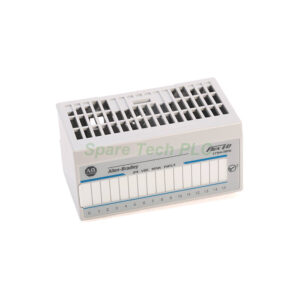
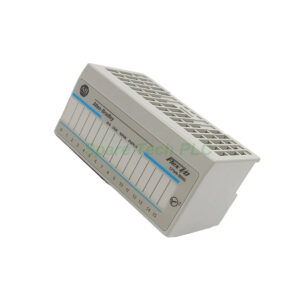
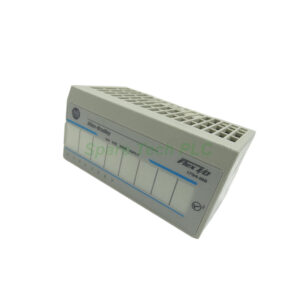
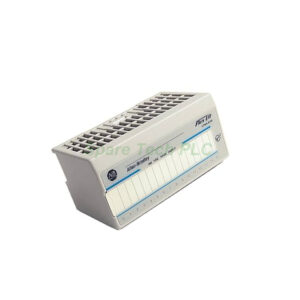
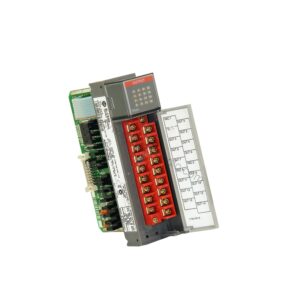
Allen-Bradley 1794-IB32 Flex I/O DC Input Module
Product Introduction 1794-IB32
The 1794-IB32 module comes from the Allen-Bradley Flex I/O product family of distributed I/O components. This high-density input interface integrates field instruments and electrical devices into automated control systems. For instance, it accommodates pushbuttons, limit switches, proximity sensors, float switches, process switches, relay contacts, and contactor auxiliary contacts. Additionally, this module offers significant space savings compared to lower-density alternatives. Therefore, it proves ideal for applications with substantial input requirements but limited panel space.
Technical Specifications 1794-IB32
The 1794-IB32 provides 32 current-sinking input channels. Its nominal on-state voltage is 24V DC, with a detection range from 19.2V DC minimum to 31.2V DC maximum. The on-state current ranges from 2.0mA minimum to 6.0mA maximum, with a nominal value of 4.1mA at 24V DC. Moreover, its maximum off-state voltage reaches 5V DC, while the maximum off-state current measures 1.5mA. The nominal input impedance for this module is 22.2 kΩ.
Furthermore, the 1794-IB32 draws a FlexBus current of 30mA at 5V DC. Its maximum power dissipation reaches 6.0W at 31.2V DC, while thermal dissipation measures 20.47 BTU/hr at the same voltage. This module offers 50V continuous isolation voltage between the system and field sides, although channels lack individual isolation. These technical specifications ensure reliable and consistent performance across diverse industrial environments.
LED Indicators and Monitoring 1794-IB32
The 1794-IB32 features 32 yellow status indicators, one for each input channel. These LEDs energize when the module receives a signal and turn off when no signal is present. Consequently, operators can quickly verify active channels and confirm proper device operation. This visual feedback significantly reduces troubleshooting time and helps maintenance personnel identify issues promptly. Additionally, the LED indicators assist during system commissioning, allowing installers to verify wiring and device functionality without requiring software tools.
Communication and System Compatibility
The 1794-IB32 works seamlessly with various Flex I/O communication adapters. These include Ethernet, ControlNet, Remote I/O, and other adapter types. The module supports unlimited installation instances, provided you follow Flex I/O system requirements. Therefore, this flexibility allows system designers to scale their distributed I/O networks according to application needs. The 1794-IB32 integrates smoothly into both new installations and existing system expansions.
Terminal Base Compatibility
The 1794-IB32 attaches to a Flex I/O terminal base, which provides input terminals, power connections, and DIN rail mounting slots. This module works with the following terminal bases: 1794-TB32, 1794-TB32S, 1794-TB62DS, 1794-TB62EXD4X15, 1794-TB3, 1794-TB3S, 1794-TBN, 1794-TB3K, 1794-TB3SK, and 1794-TBNK. The keyswitch position for this module is Position 2. The terminal bases also support removal and insertion of the module under power, known as RTB (Removable Terminal Block) functionality, which minimizes system downtime during maintenance.
Mechanical and Environmental Specifications
The 1794-IB32 features dimensions of 94 x 94 x 69 mm (3.7 x 3.7 x 2.7 inches) and weighs approximately 0.25 kg. It mounts directly onto a standard DIN rail, simplifying panel installation. Its open-style enclosure (no NEMA rating) suits use within industrial control cabinets. The module operates within a temperature range of 0 to 55°C (32 to 131°F) and stores safely between -40 to 85°C (-40 to 185°F). Additionally, it withstands vibration of 5g at 10 to 500 Hz, operating shock of 30g, and non-operating shock of 50g. Its relative humidity tolerance spans 5 to 95% non-condensing, making it suitable for various industrial environments.
Installation and Commissioning
Installing the 1794-IB32 follows a clear and straightforward process. First, mount the chosen terminal base onto a DIN rail within your control cabinet. Next, set the keyswitch on the terminal base to Position 2, matching the module's requirement. Then carefully seat the 1794-IB32 into the terminal base until it locks securely. Finally, connect field wiring to the terminal base according to the input channel assignments. The wire size depends on your installed terminal base specifications, so always refer to the appropriate terminal base documentation. After installation, apply power and verify each channel using the yellow status indicators.
Packaging List
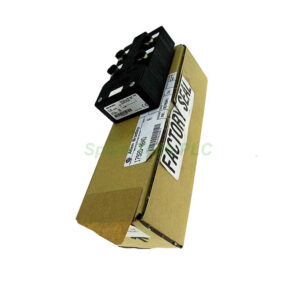
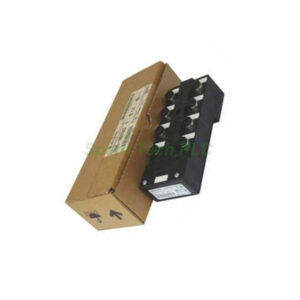
Please note that the terminal base, communication adapter, and field wiring require separate purchase. The module ships in professional anti-static packaging for safe transportation.
Shipping Information
We ship all orders via global express couriers, including FedEx, UPS, and DHL, to ensure fast and reliable worldwide delivery.
Frequently Asked Questions (FAQ)
1. How many input channels does the 1794-IB32 module offer?
The 1794-IB32 provides 32 current-sinking input channels, making it a high-density solution for applications requiring numerous digital inputs in a compact footprint.
2. What voltage range does the 1794-IB32 support?
This module supports an on-state voltage range from 19.2V DC minimum to 31.2V DC maximum, with a nominal voltage of 24V DC. Its maximum off-state voltage reaches 5V DC.
3. Which terminal bases are compatible with the 1794-IB32?
The 1794-IB32 works with multiple terminal bases, including 1794-TB32, 1794-TB32S, 1794-TB62DS, 1794-TB62EXD4X15, 1794-TB3, 1794-TB3S, 1794-TBN, 1794-TB3K, 1794-TB3SK, and 1794-TBNK. Ensure the keyswitch is set to Position 2.
4. Can I remove and insert the 1794-IB32 while power is applied?
Yes, the terminal bases support hot-swapping, allowing you to remove and insert the 1794-IB32 under power. This feature minimizes system downtime during module replacement or maintenance.
5. What do the LED indicators on the 1794-IB32 show?
The 1794-IB32 has 32 yellow status indicators, one for each input channel. They light up when the module receives a valid input signal and turn off when no signal is present, providing quick visual status confirmation.