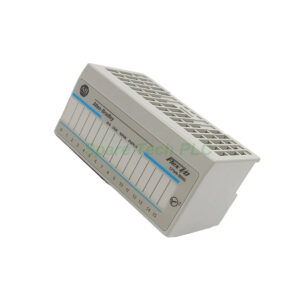
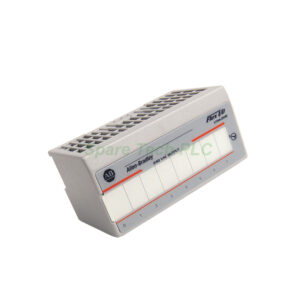
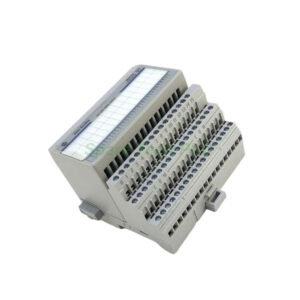
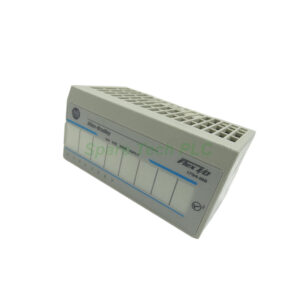
Allen-Bradley 1794-IB16D Flex I/O Diagnostic Input Module
Product Introduction
The 1794-IB16D module belongs to the Allen-Bradley FLEX I/O product family. This digital input unit interfaces with field devices like proximity sensors and limit switches. Its enhanced diagnostic features offer significant advantages over standard input modules. For instance, this device detects wiring faults and power supply problems immediately. Consequently, maintenance teams can resolve issues much faster than before. This capability directly translates into reduced downtime and lower operational costs.
Technical Specifications
The 1794-IB16D operates with a nominal on-state voltage of 24V DC. Its detection range extends from 10 to 32V DC, providing flexibility in various industrial environments. The module's maximum on-state current reaches 1.5mA, while its nominal input impedance measures 3.1 kΩ. Furthermore, this unit delivers sensor power current up to 50mA maximum. The sensor power voltage drop stays within 2.2V DC maximum, ensuring efficient power delivery to connected field devices.
Additionally, the 1794-IB16D provides continuous isolation voltage rated at 50V. It draws a FlexBus current of 30mA @ 5V DC from the backplane. Its maximum power dissipation reaches 8.5W, with thermal dissipation measuring 29 BTU/hr at 31.2V DC. These robust specifications ensure reliable operation across a wide temperature range and demanding industrial conditions.
Diagnostic Capabilities
The 1794-IB16D excels through its comprehensive diagnostic feature set. Specifically, this module detects disconnected wires in the field wiring. It also identifies open circuits within the input field device itself. Moreover, the unit senses shorted input wiring that could cause erratic behavior. Notably, it recognizes reversed "+" and "-" connections on the DC power supply. Finally, it detects open power supply circuits that leave devices without power. Each of these conditions triggers a specific diagnostic indicator, allowing technicians to pinpoint faults quickly and accurately.
Mechanical and Environmental Specifications
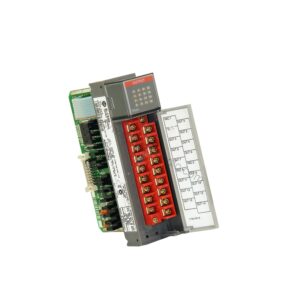
The 1794-IB16D mounts directly onto a 1794-TB32 or 1794-TB32S terminal base. Before you seat the module, set the keyswitch on the terminal base to Position 4. Then push the Flexbus connector fully to the left to establish connection with the adjacent terminal base. The unit measures approximately 45.7 x 94 x 53.3 mm (1.8 x 3.7 x 2.1 inches) and weighs just 0.11 kg. Additionally, this module features 33 indicator lights on its front face. These include 16 red diagnostic status indicators, 16 yellow ON/OFF status indicators, and 1 red module fault indicator. This comprehensive visual feedback helps operators monitor system status at a glance.
Installation and Commissioning
Installing the 1794-IB16D follows a simple and logical sequence. First, mount and wire the terminal base unit correctly. Next, verify that the keyswitch sits at Position 4 for proper module identification. Then carefully seat the module into the base until it locks firmly in place. Finally, push the Flexbus connector leftward to enable communication with neighboring modules. After installation, configure the digital signal filtering time through your control system software. Adjust this parameter according to your specific application needs to ensure clean and stable input readings.
Packaging List
Please note that terminal bases, sensors, and wiring accessories require separate purchase. We ship the product with professional anti-static packaging to ensure safe transit.
Shipping Information
We ship all orders via global express couriers, including FedEx, UPS, and DHL, to ensure fast and reliable delivery worldwide.
Frequently Asked Questions (FAQ)
1. What is the primary function of the 1794-IB16D module?
The 1794-IB16D serves as a digital input interface for the FLEX I/O system. It reads 24V DC digital signals from field devices and uses diagnostic features to detect wiring faults and power issues.
2. Which terminal bases work with the 1794-IB16D module?
This module works with the 1794-TB32 and 1794-TB32S terminal bases. You must set the keyswitch on these bases to Position 4 before you install the module.
3. What types of faults can the 1794-IB16D detect?
The 1794-IB16D detects disconnected wires, open input circuits, shorted input wiring, reversed DC power connections, and open power supply circuits.
4. How do I adjust the input filtering on this module?
You can adjust the digital signal filtering time through your control system's programming software. This parameter allows you to tailor the module's response to your specific application requirements.
5. What do the indicator lights on the 1794-IB16D indicate?
The 1794-IB16D features 33 indicators: 16 red diagnostic lights, 16 yellow ON/OFF status lights for each input, and 1 red module fault light. These provide clear visual feedback on module health and input states.