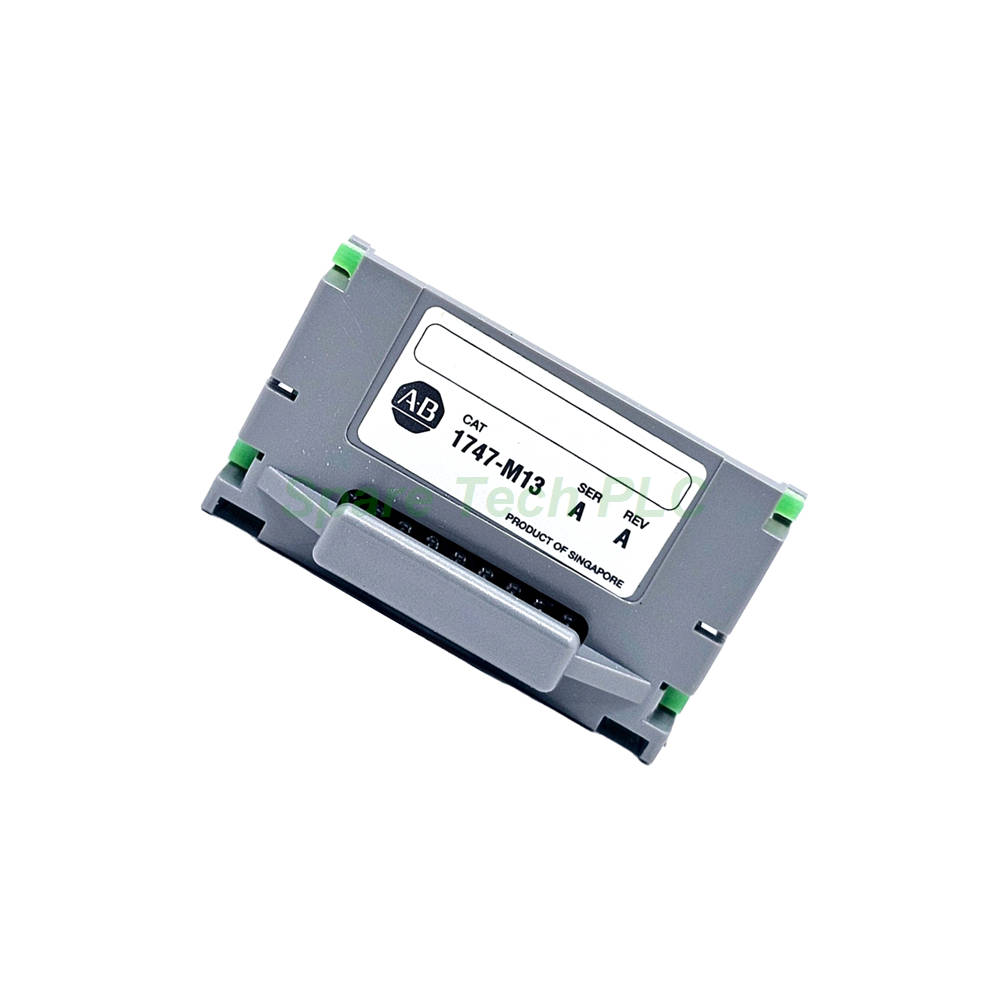
Allen-Bradley 1747-M13 Memory Module Overview
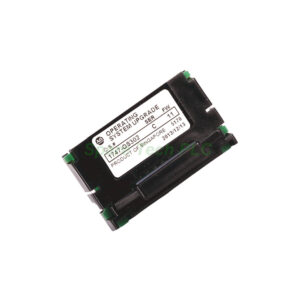
The 1747-M13 is a dedicated memory module for the SLC 500 controller family. Its primary role is to offer a secure, non‑volatile backup solution for your processor’s user program. Unlike battery‑backed RAM, this flash‑based module retains data even when the processor battery is completely drained. Therefore, it provides an essential layer of protection against unplanned downtime and program loss. This module is particularly valuable for critical processes where a sudden loss of logic could lead to significant operational disruptions.
Core Technical Specifications and Compatibility
The 1747-M13 memory module delivers reliable performance through its simple yet effective design. It utilizes flash memory technology to store your program and data table information permanently.
Memory Capacity: The module provides 64 kilobytes of user memory, equivalent to 64,000 words. This capacity is sufficient for backing up the complete user program of most SLC 500 applications.
Processor Compatibility: This memory device is compatible with a wide range of SLC processors, including the SLC 5/03, SLC 5/04, and SLC 5/05. This versatility makes it a convenient spare part for facilities using multiple SLC platforms.
Memory Adapter Requirement: To function correctly, the 1747-M13 must be used with the 1747-M15 Series B memory adapter. Using an older Series A adapter can potentially damage the memory module or the PROM itself.
Backup Function: The module serves as a program/data table storage device. During a power cycle, the processor automatically loads the program from this flash module into its working RAM.
Installation and Handling Guidelines
Proper installation is critical to ensure the 1747-M13 operates safely and effectively. Follow these guidelines carefully to prevent damage.
Orientation and Jumper Settings: The memory module must be correctly oriented on its adapter. For the 1747-M13, the jumper must connect the A18 pin to the center pin. This specific configuration ensures proper addressing.
Installation Procedure: Always turn the controller power OFF before installing or removing the memory module. This practice prevents electrical damage and avoids unwanted processor faults.
Keyed Connectors: The module features keyed connectors to prevent incorrect insertion. Consequently, it is almost impossible to install it the wrong way, simplifying the installation process.
Electrostatic Discharge (ESD) Precautions: Do not expose the 1747-M13 to areas where electrostatic charge may be present. Static electricity can alter, damage, or even destroy the memory contents of the module. Always handle the module in an ESD‑safe environment.
Packaging and Logistics
Your purchase includes the memory module only, as it is designed to be installed onto a separate adapter. All items are packaged securely to prevent damage from static or physical shock.
Shipping: We dispatch all orders using FedEx, UPS, or DHL to ensure fast and reliable worldwide delivery.
Frequently Asked Questions (FAQ)
Q1: What is the main purpose of the 1747-M13 memory module?
The 1747-M13 provides non‑volatile flash backup for your SLC processor’s user program. If the processor’s battery fails, this module retains the program and automatically reloads it upon power‑up, preventing data loss and process shutdown.
Q2: Which processors are compatible with the 1747-M13?
This memory module is compatible with SLC 5/03, SLC 5/04, and SLC 5/05 processors. It is an ideal backup solution for any of these popular CPU models.
Q3: Does the 1747-M13 work alone, or does it need an adapter?
The 1747-M13 requires the 1747-M15 Series B memory adapter to function. Using a Series A adapter can cause permanent damage to the module.
Q4: How does the processor load the program from the 1747-M13?
The program is automatically loaded from the 1747-M13 into the processor’s working RAM every time the system is powered on or cycled. This automatic loading ensures seamless recovery.
Q5: What precautions are needed when handling the 1747-M13?
You must be careful to avoid electrostatic discharge (ESD). Additionally, always power off the controller before installing or removing the module. Also, ensure the jumper is set correctly (A18 to center pin) on the adapter.