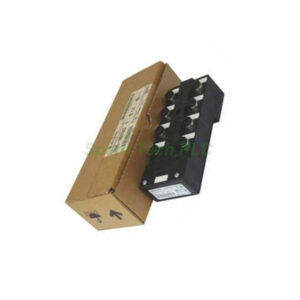
1784-U2DHP Allen-Bradley USB to DH+ Programming Cable
Product Introduction
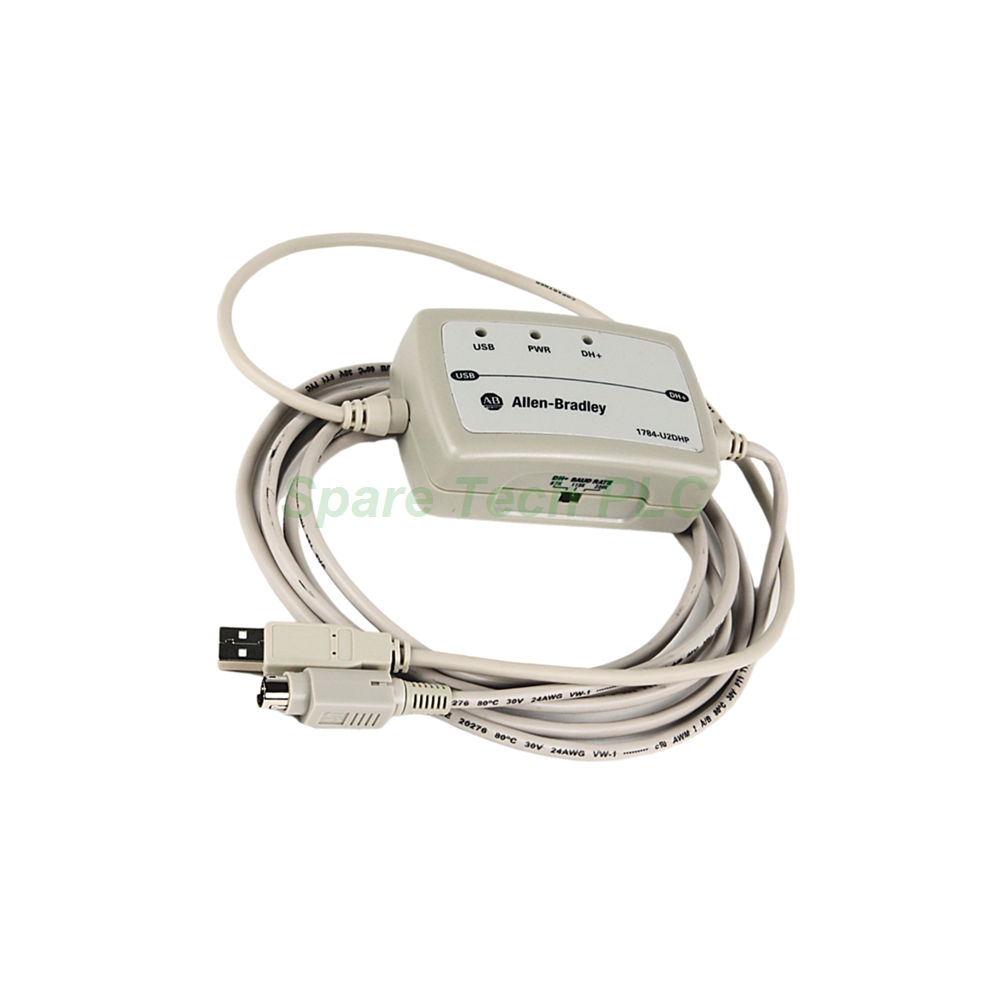
The 1784-U2DHP is a high-quality USB to Data Highway Plus (DH+) cable manufactured by Allen-Bradley. Its primary purpose is to enable a seamless connection between a modern computer and a legacy DH+ network. Using just a standard USB port, this cable allows laptops and desktops to communicate with PLC-5 and SLC 5/04 processors. Furthermore, it serves as a direct replacement for the older 1784-PCMK adapter card and 1784-PCM6 cable. Therefore, this cable is an essential tool for programming, configuring, and monitoring industrial automation systems.
Technical Specifications
Electrical and Power Characteristics
The 1784-U2DHP operates with a nominal supply voltage of 5.00V DC, with a maximum of 5.25V DC. It draws a supply current of 125 mA and dissipates a maximum power of 1.575 Watts. The isolation voltage is rated at 30 Volts. Moreover, the cable must receive power from a source compliant with SELV and PELV standards. These specifications ensure safe and efficient operation.
Environmental Ratings and Certifications
This cable is specifically designed for industrial environments. Its operating temperature range is 0 to 55 degrees Celsius. Additionally, it can function at altitudes up to 2000 meters without any derating. The enclosure carries an IP 30 rating, meaning it is protected against solid objects larger than 2.5 mm. Furthermore, it is suitable for Overvoltage Category II applications.
Data Highway Plus (DH+) Network Support
The 1784-U2DHP supports three distinct communication rates. For instance, it achieves 57.6 Kbps at 10,000 ft (3,048 m). Meanwhile, it operates at 115.2 Kbps over 5,000 ft (1,524 m). Finally, it supports 230.4 Kbps at 2,500 ft (762 m). The DH+ network uses the RS485 wiring convention. Consequently, it allows high-speed data transfer and supports long-distance trunkline connections.
Node Address Switch and Configuration
A central feature of the 1784-U2DHP is its 3-position switch for configuring the DH+ node address. This switch allows for quick and easy address changes. However, you must disconnect the cable from the USB port before changing the communication rate or node address setting. The node address sets automatically when the cable connects for the first time. Therefore, the process remains straightforward for technicians.
LED Status Indicators
The 1784-U2DHP includes three LED status indicators: USB, Power, and DH+ Network. These LEDs blink red and green to signal various events. Specifically, they indicate power supply status, network activity, node duplication, and internal diagnostic updates. Therefore, operators can quickly diagnose connection issues without additional tools.
Physical Design and Portability
Connector Types and Cable Lengths
One end of the 1784-U2DHP features a standard USB connector. Meanwhile, the other end comes with an 8-pin DIN connector for DH+ network connections. The DIN cable length is 2.44 meters, while the USB cable length is 0.61 meters. This total length provides excellent flexibility for various workstation setups.
Portability and Mounting
The 1784-U2DHP is a highly portable device. In fact, it does not require mounting to a DIN rail or any other mounting method. Consequently, technicians can easily carry it in their toolkits and use it across multiple locations. This mobility significantly reduces setup time for field maintenance tasks.
Installation and Driver Setup
Driver Installation Process
To use the 1784-U2DHP, you must properly install the driver on your computer. Once the driver installation completes, the system creates a unique COM port for the cable. This COM port is essential for establishing communication with your programming software, such as RSLinx. Therefore, verify the COM port assignment in your device manager after installation.
Software Compatibility
This cable works seamlessly with Rockwell Automation software that supports DH+ communication. Specifically, it is designed for programming and monitoring PLC-5 processors (excluding Classic models) and SLC 5/04 processors. Thus, it integrates easily into existing engineering workflows.
Packaging List
1784-U2DHP USB to DH+ Programming Cable (1 unit)
3-position node address switch (integrated)
LED status indicators (built-in)
Packaging excludes software CDs, mounting hardware, certificates, and warranty documents
Shipping and Delivery
We process all orders promptly and ship them securely. For global deliveries, we partner with FedEx, UPS, and DHL. The 1784-U2DHP is carefully packed in protective material to prevent damage during transit. Moreover, we provide tracking information for every shipment, so you can monitor your order in real time.
Frequently Asked Questions (FAQ)
1. Which processors are compatible with the 1784-U2DHP?
The 1784-U2DHP supports PLC-5 processors (excluding Classic models like PLC-5/10, 5/12, 5/15, and 5/25) and SLC 5/04 processors.
2. Does this cable replace any older Allen-Bradley products?
Yes, the 1784-U2DHP serves as a direct replacement for the older 1784-PCMK communication adapter card and the 1784-PCM6 communication cable.
3. How do I change the node address on the 1784-U2DHP?
Use the 3-position switch on the cable. However, always disconnect the USB plug from your computer before making any changes to the node address or communication rate.
4. What do the LED indicators on the 1784-U2DHP mean?
The LEDs show USB status, power, and DH+ network activity. Blinking red and green patterns indicate various conditions, such as active communication, node duplication, or internal diagnostics.
5. Is the 1784-U2DHP compatible with modern operating systems?
It can work with modern Windows operating systems, provided you install the correct drivers. We recommend downloading the latest drivers from the Rockwell Automation support website for best results.