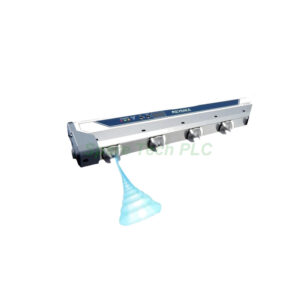
PZ-G42EN Reflective Sensor Installation and Maintenance Guide
Product Introduction
The Keyence PZ-G42EN belongs to the PZ-G series of self-contained photoelectric sensors. Specifically, it is a diffuse reflective, short-range model in a rectangular housing. The sensor features a red LED light source and an NPN open-collector output. Moreover, it includes a 1-turn sensitivity trimmer for easy adjustment. The PZ-G42EN terminates with an M12 pigtail quick-disconnect connector, which simplifies replacement and wiring in the field.
Core Value
This sensor delivers dependable performance for basic presence and positioning tasks. Firstly, the 300 mm detection range covers many standard automation applications. Secondly, the visible red LED spot simplifies alignment during setup. In addition, the IP67 and IP69K enclosure ratings ensure the PZ-G42EN withstands washdown and dusty environments. Furthermore, the standard M12 connector reduces maintenance downtime because technicians can swap units without rewiring.
Technical Insights
The PZ-G42EN operates on 10 to 30 VDC and consumes 34 mA or less. Its response time is 500 µs, which suits non-high-speed detection loops. Besides, the sensor offers selectable LIGHT-ON or DARK-ON operation via a mode selector switch. The output is an open-collector NPN transistor rated for 100 mA maximum. Meanwhile, the built-in interference suppression function allows up to two units to operate in close proximity without false triggering. The housing material is glass-fiber reinforced PBT, and the lens cover uses polyarylate (PAR) for durability.
Installation & Maintenance
Mount the PZ-G42EN using M3 screws through the side mounting holes. Firstly, observe the maximum tightening torque of 0.5 N·m to prevent housing damage. For sensitivity adjustment, rotate the trimmer slowly from MIN toward MAX until the orange output indicator turns on with the target present. Then, remove the target and note the position where the indicator activates. Finally, set the trimmer to the midpoint between these two positions and verify the green stable operation LED illuminates in both states. During maintenance, keep the lens cover clean and avoid using excessive force on the trimmer or mode switch. Also, route the sensor cable away from high-voltage lines to prevent electrical interference.

Buyer’s Guide FAQ
What is the detection distance of the PZ-G42EN?
The sensor detects a 10 × 10 cm white paper target at a distance of 300 mm when you set sensitivity to maximum.
Does the PZ-G42EN include a cable?
The PZ-G42EN features an M12 pigtail connector. Therefore, you must purchase the mating cable separately.
Can I change the output logic from LIGHT-ON to DARK-ON?
Yes. A mode selector switch on the sensor body lets you choose between LIGHT-ON (L) and DARK-ON (D) operation.
What is the maximum tightening torque for mounting the PZ-G42EN?
For the rectangular housing mounting holes, the maximum torque is 0.5 N·m. Exceeding this value risks cracking the PBT housing.
Does this sensor work with a 24 VDC supply?
Absolutely. The rated power voltage range is 10 to 30 VDC, which includes standard 24 VDC industrial power supplies.