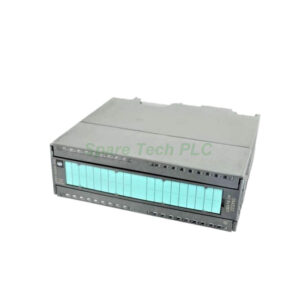
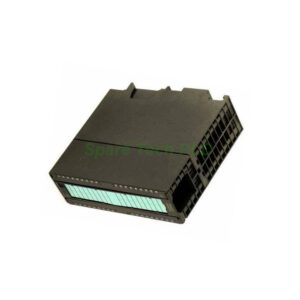
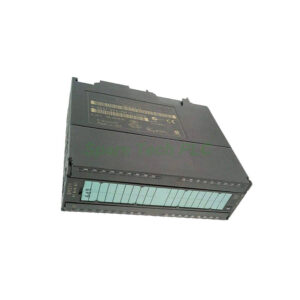
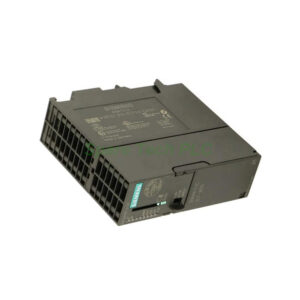
Siemens 6GK7343-1EX30-0XE0 CP 343-1 Communications Processor
Product Introduction
The 6GK7343-1EX30-0XE0 is a powerful communications processor from Siemens. It belongs to the SIMATIC S7-300 product family. This CP 343-1 module provides a robust connection to Industrial Ethernet. It supports multiple protocols, including ISO and TCP/IP. Additionally, it can act as a PROFINET IO controller or device. The integrated 2-port switch is based on the ERTEC 200 chip. This design enables cost-effective line and ring topologies. You can use it for S7 communication, fetch/write, and send/receive operations. It also supports multicast, DHCP, and NTP for time synchronization.
Technical Specifications
The Siemens 6GK7343-1EX30-0XE0 operates with a 24V DC external supply. It also draws 0.2 A from the 5V backplane bus. The typical current consumption from the 24V supply is 0.16 A. Its maximum consumption is 0.2 A. Total power loss for this CP 343-1 is 5.8 W.
For network connectivity, this module offers two RJ45 ports. They support 10/100 Mbit/s speeds with auto-sensing and auto-negotiation. The integrated switch allows for easy bus or star topologies. For open communication, it supports SEND/RECEIVE blocks. It handles up to 16 connections for this purpose. The maximum user data per ISO or TCP connection is 8 Kibyte. For UDP, it is 2 Kibyte. The module also supports up to 16 multicast stations.
Communication and Performance
This CP 343-1 module excels in its communication capabilities. For S7 communication, it supports a maximum of 16 connections. In multi-protocol mode, it handles up to 32 active connections. As a PROFINET IO controller, it manages up to 32 IO devices. The maximum user data is 1 Kibyte for both inputs and outputs. When functioning as a PROFINET IO device, it handles 512 bytes for inputs and outputs. Furthermore, it supports the Media Redundancy Protocol (MRP). This feature ensures network reliability in ring topologies.
Diagnostic and Management Features
The 6GK7343-1EX30-0XE0 includes extensive diagnostic functions. A group error LED (SF) indicates fault status. You can access detailed diagnostics via STEP 7 or a web browser. It also supports SNMP v1 for integration into network management systems. The module offers IP-based access protection via an ACL. You can also disable non-required services for enhanced security.
Installation and Configuration
Follow these steps for proper installation.
First, ensure the S7-300 rack is de-energized.
Next, mount the 6GK7343-1EX30-0XE0 onto the S7-300 rail.
Then, connect it to adjacent modules using the bus connector.
After that, attach the external 24V DC supply to the 2-pin terminal block.
Finally, connect your Ethernet cables to the two RJ45 ports.
Configuration is done using STEP 7 V5.4 SP2 or higher. Alternatively, you can use STEP 7 Professional V11 (TIA Portal) or higher. The module supports identification and maintenance functions (I&M0 and I&M1). This simplifies asset management.
Packaging List
The package includes the following items:
Note: The 20-pin front connector, cables, and mounting hardware are not included.
Shipping Information
We ship all orders via reliable carriers. These include FedEx, UPS, and DHL. Your module will arrive safely and promptly. Tracking details will be provided after dispatch.
Frequently Asked Questions (FAQ)
1. What is the main function of the Siemens 6GK7343-1EX30-0XE0?
It connects a SIMATIC S7-300 PLC to Industrial Ethernet. It supports PROFINET IO controller and device roles. This CP 343-1 also handles S7 and open communication.
2. Can I use this module as a PROFINET IO device?
Yes, the 6GK7343-1EX30-0XE0 supports this function. It can serve as a PROFINET IO device. It handles up to 512 bytes of input and output data in this role.
3. How many RJ45 ports does this CP 343-1 have?
It has two integrated RJ45 ports. They form a 2-port switch for flexible cabling. This supports line or bus topologies without extra hardware.
4. Does this module support ring redundancy?
Yes, it supports the Media Redundancy Protocol (MRP). This allows for ring network topologies. It enhances network reliability against cable failures.
5. What software is needed to configure this module?
You need STEP 7 V5.4 SP2 or higher. Alternatively, STEP 7 Professional V11 (TIA Portal) or higher is required. These tools configure all functions.