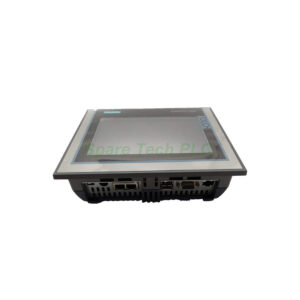
Buy Siemens 6AV2123-2DB03-0AX0 Basic Panel
Product Introduction
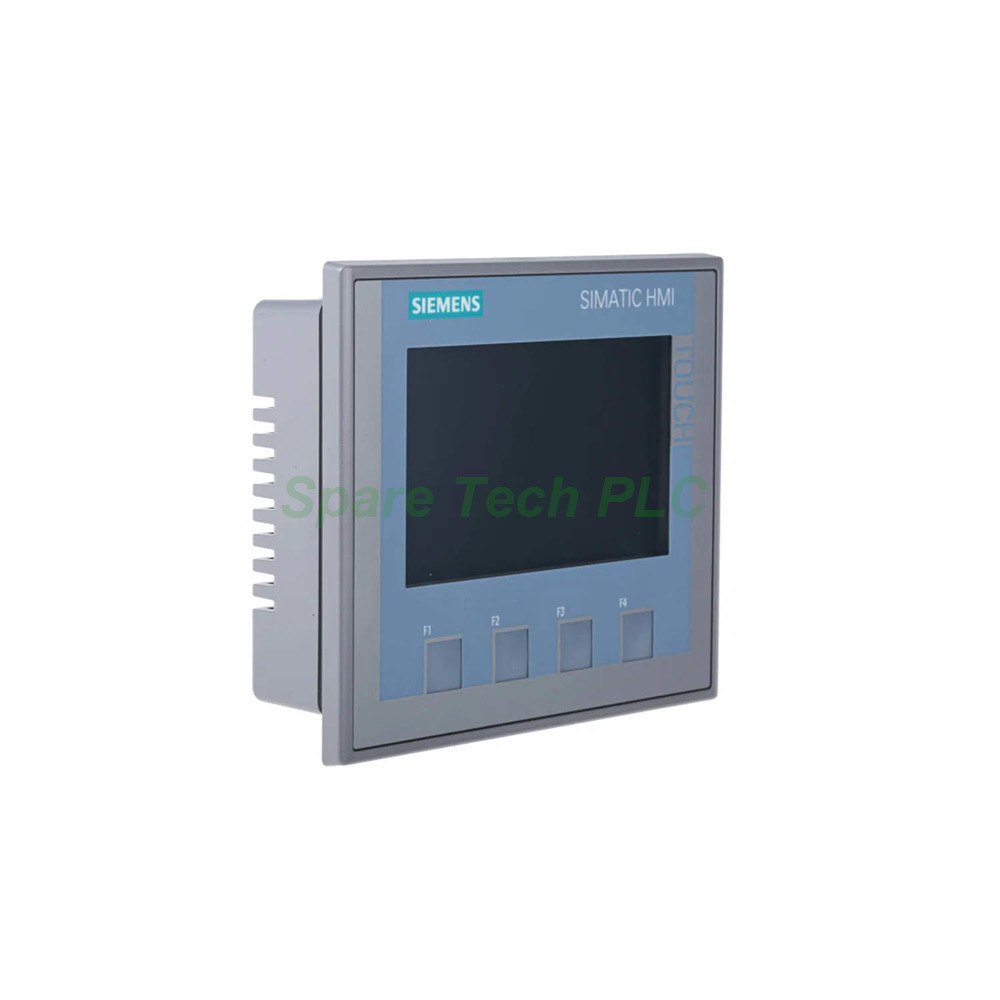
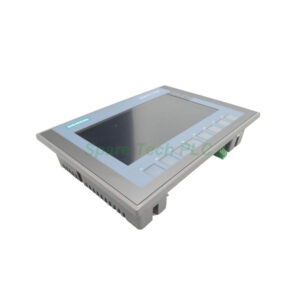
The Siemens 6AV2123-2DB03-0AX0 belongs to the SIMATIC HMI KTP400 Basic series. This panel provides a 4.3-inch widescreen TFT display with LED backlighting. It shows 65,536 colors in bold red for clear visualization. Moreover, this model combines four mechanical function keys with analog-resistive touch operation. You can configure the Siemens 6AV2123-2DB03-0AX0 using WinCC Basic V13 or STEP 7 Basic V13. Additionally, this device includes one USB port for external storage. Therefore, it suits small to medium automation applications perfectly.
Technical Specifications
Display Features
The 6AV2123-2DB03-0AX0 uses a 4.3-inch TFT widescreen display. Its screen measures 95 mm wide by 53.9 mm high in bold blue. The resolution reaches 480 x 272 pixels. Backlight MTBF is 20,000 hours at 25°C. Furthermore, you can dim the backlight as needed. This display delivers clear visuals for basic HMI tasks.
Control Elements
This HMI features four mechanical function keys in bold red. It also includes analog-resistive touch technology. Operators get onscreen numeric and alphanumeric keyboards. There are no system keys or LED indicators on the keys. The buzzer provides audible feedback for touch inputs.
Processor and Memory
The device integrates an ARM processor. It provides 10 MB of flash memory for user data in bold blue. The real-time hardware clock retains data for up to 6 weeks. Both flash and RAM storage are included for reliable operation.
Interfaces and Connectivity
This model includes one industrial Ethernet interface (PROFINET). It also has one USB 2.0 port supporting drives up to 16 GB. The Siemens 6AV2123-2DB03-0AX0 has no RS 485, RS 232, or SD card slots. Two Ethernet status LEDs help with network diagnostics.
Protocol Support
The 6AV2123-2DB03-0AX0 supports PROFINET and EtherNet/IP. It also handles MODBUS TCP/IP for Modicon devices. However, it does not support PROFIBUS, MPI, or IRT. Web protocols like HTTP and HTML are not available on this basic panel.
Environmental and Mechanical Parameters
Power Requirements
The Siemens 6AV2123-2DB03-0AX0 needs a stable 24V DC power supply. The permissible voltage range is 19.2V to 28.8V. Typical current consumption is only 125 mA. Active power input is typically 3 watts. Inrush I²t is rated at 0.2 A²·s.
Operating Conditions
For vertical installation, the temperature range is 0°C to 50°C. At maximum tilt angle, operate between 0°C and 40°C. For portrait format vertical installation, the range is 0°C to 40°C. Portrait format with maximum tilt allows 0°C to 35°C. Storage temperature spans -20°C to 60°C. Relative humidity can reach up to 90% without condensation. The maximum permissible inclination is 35 degrees without external ventilation.
Protection Ratings
Front protection is rated IP65, NEMA Type 4 and 4x in bold blue. Rear protection is IP20. This panel does not carry hazardous area approvals. It carries CE, cULus, RCM, and KC marks. Marine approvals include GL, ABS, BV, DNV, LRS, and NK.
Dimensions and Mounting
The Siemens 6AV2123-2DB03-0AX0 supports both landscape and portrait mounting. Front housing width is 140 mm, and height is 116 mm. The required mounting cutout measures 124 mm wide by 100 mm high in bold red. Total depth is just 34.9 mm. Weight without packaging is 360 g. Gross weight with packaging is 470 g. The front enclosure uses plastic material.
Software Compatibility
First, you need WinCC Basic (TIA Portal) V13 or STEP 7 Basic V13 to configure this panel. It also works with WinCC Comfort, Advanced, and Professional. The device supports 10 online and runtime languages. Furthermore, it includes a web browser and SIMATIC WinCC Sm@rtServer (from V14). However, Visual Basic Scripts are not supported.
Installation Guidelines
Begin by preparing a mounting cutout of 124 mm by 100 mm. Ensure the panel is vertically oriented. Next, insert the Siemens 6AV2123-2DB03-0AX0 from the front side. Secure it firmly using the provided mounting clamps. Meanwhile, maintain adequate clearance for ventilation. For vertical installation, keep ambient temperature below 50°C. Avoid condensation and direct sunlight exposure. For wiring, connect a stable 24V DC power supply with proper grounding. Use shielded Ethernet cables for PROFINET connections. Finally, upload your project via Ethernet or an external USB drive.
Packaging List
Note: No software license, memory card, cables, certificates, or warranty documents are included.
Shipping Information
We ship worldwide using Fedex, UPS, or DHL. Gross weight per unit is 0.47 kg. Packaging ensures safe transport. Please contact us for express shipping options.
Frequently Asked Questions (FAQ)
1. Which software do I need for the Siemens 6AV2123-2DB03-0AX0?
You need WinCC Basic (TIA Portal) V13 or STEP 7 Basic V13. It also works with WinCC Comfort, Advanced, and Professional.
2. Does this panel support PROFIBUS communication?
No, the 6AV2123-2DB03-0AX0 supports PROFINET and EtherNet/IP only. It does not include PROFIBUS or MPI interfaces.
3. Can I use an SD card with this HMI?
No, this model has no SD card slot. However, it includes one USB port for USB flash drives up to 16 GB.
4. How do I perform a backup on this device?
You can manually back up and restore data using a USB stick or Ethernet connection. Automatic backup is not available on this basic panel.
5. Does the Siemens 6AV2123-2DB03-0AX0 support OPC UA?
No, this basic panel does not support OPC UA client or server functions. It focuses on standard PROFINET and MODBUS TCP/IP communication.