GE IS420ESWBH3A Mark VIe IONet Switch for Turbine Control
Product Introduction
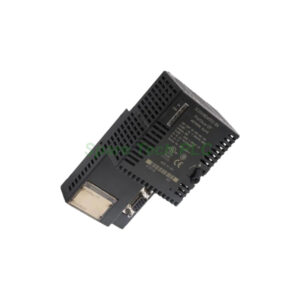
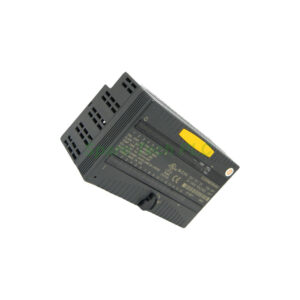
The IS420ESWBH3A from General Electric serves as a dedicated Ethernet IONet switch within the Mark VIe series. You will find this switch in GE distributed gas turbine control systems. It provides 16 copper ports, each supporting 10/100Base-TX with RJ45 connectors. This model has no fiber ports. The IS420ESWBH3A meets real-time industrial control requirements. It also works with Mark VIeS safety control systems.
Technical Specifications
The IS420ESWBH3A delivers reliable network switching for critical turbine applications. It offers 16 ports of 10/100Base-TX copper connectivity. Each port supports auto-negotiation for speed and duplex mode. Additionally, the switch includes HP-MDIX auto-sensing, so you do not need crossover cables.
The device requires an input voltage of 24/28 VDC. It also supports dual power supply inputs for redundancy. If one power source fails, the other keeps the switch running. The IS420ESWBH3A uses convection cooling, which means no fans are needed.
For memory and addressing, the switch includes a minimum 256 KB buffer and supports up to 4,000 MAC addresses. It complies with IEEE standards 802.3, 802.3u, and 802.3x.
Furthermore, the IS420ESWBH3A runs on the QNX Neutrino operating system. It has 256 MB of DDR SDRAM. The recommended software is ControlST V04.03.18C.
Mechanical and Environmental Parameters
Dimensions: 138 x 86 x 56 mm (H 18.8 cm x W 8.6 cm x D 5.6 cm)
Weight: 2 lbs (0.95 kg)
Operating Temperature: -40 to 70°C
Relative Humidity: 5% to 95%, non-condensing
Cooling Method: Convection cooled
Mounting Method: DIN-rail or panel mount
Country of Origin: United States (USA)
LED Status Indicators
The IS420ESWBH3A provides clear visual feedback through its LEDs. A power LED shows when the unit receives power. Each port has dual-color LEDs for link presence, activity, duplex, and speed.
Specifically, a solid yellow link LED indicates a 10 MB link is active. A solid green link LED means a 100 MB link is active. No LED light means there is no link. This makes troubleshooting network issues quick and easy.
Installation Guidelines
First, choose a mounting method for the IS420ESWBH3A. You can mount it on a DIN-rail either parallel or perpendicular. For DIN-rail mounting, you will need clips 259B2451BVP1 and 259B2451BVP4. Alternatively, you can panel mount the switch if your cabinet requires it.
Next, connect the power supply. The IS420ESWBH3A accepts 24/28 VDC. For redundancy, connect two separate power sources to the dual inputs. This ensures the switch stays online even during a power supply failure.
Then connect your copper cables. Use Cat 5e UTP cables with RJ45 connectors. The switch auto-senses straight or crossover cables, so no special wiring is needed.
Finally, power on the unit and check the LED indicators. The power LED should light up. Each connected port should show either yellow or green depending on the link speed.
Operation Overview
The IS420ESWBH3A functions as a layer 1 Ethernet switch. Its primary job is to buffer multicast and broadcast packets. You must allow enough buffer space for at least one packet per port. If multiple incoming streams arrive at the same time, the switch accepts one stream and buffers the others for later transmission.
This switch is required for all IONet networks in Mark VIe and Mark VIeS systems. You cannot substitute a standard commercial switch. The IS420ESWBH3A is specifically designed for real-time industrial control.
Moreover, the product number reveals key details. The IS420 series tag indicates the Mark VIe modular assembly version and US manufacturing origin. The ESWB acronym stands for Ethernet switch. The H3 grouping means this version has no fiber ports, unlike other ESWB models.
Packaging List
IS420ESWBH3A Ethernet IONet Switch (1 unit)
Quick start guide (printed)
Anti-static protective bag
Note: DIN-rail clips, power cables, and Ethernet cables are sold separately.
Shipping
We ship worldwide via Fedex, UPS, or DHL. All items are carefully packed and tracked.
Frequently Asked Questions (FAQ)
1. Does the IS420ESWBH3A have any fiber ports?
No. The IS420ESWBH3A has 16 copper RJ45 ports only. It does not include any fiber ports. If you need fiber connectivity, consider other ESWB models.
2. Can I use a regular office switch instead of the IS420ESWBH3A?
No. The IS420ESWBH3A is specially designed for real-time industrial control. Standard switches do not meet the buffering and timing requirements of Mark VIe systems.
3. What do the LED colors mean on the IS420ESWBH3A?
Solid yellow means a 10 MB link. Solid green means a 100 MB link. No light means no link. The power LED shows if the unit is receiving power.
4. How do I mount the IS420ESWBH3A?
You can mount it on a DIN-rail (parallel or perpendicular) using clips 259B2451BVP1 and 259B2451BVP4. You can also panel mount it if needed.
5. What happens if one power supply fails on the IS420ESWBH3A?
The IS420ESWBH3A has dual redundant power inputs. If one supply fails, the switch continues operating normally from the other supply.