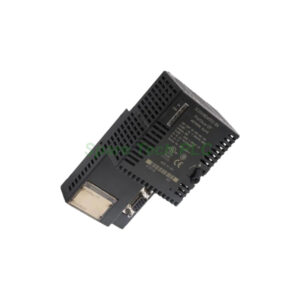
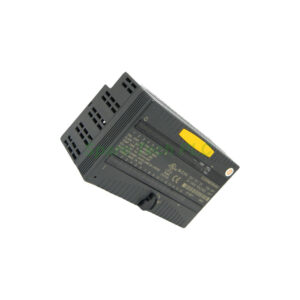
IS215UCVGM06A GE Mark VI Speedtronic UCV Controller
Product Introduction
The IS215UCVGM06A serves as a UCV Controller board within the GE Mark VI Speedtronic series. This single-slot single-board computer operates turbine application code. It mounts inside the control module and communicates with I/O boards via the VME bus. The board runs on the QNX operating system, a real-time multitasking OS. First, it processes up to 100,000 rungs or blocks per second. Next, it handles external data transfer through the VCMI communication board. Therefore, the IS215UCVGM06A delivers reliable control for steam, gas, and aero-derivative turbines.
Technical Specifications
The IS215UCVGM06A uses an Intel Ultra Low Voltage Celeron processor running at 650 MHz. It includes 128 MB of flash memory and 128 MB of SDRAM. The operating voltage range is 14 to 32 V dc, with a maximum lead resistance of 15 Ohms. Operating temperature ranges from 0 to 70°C. The board uses surface mount technology and measures 16.2 cm high by 8.6 cm wide. The manual number is GEH-6421J. Additionally, the board comes from the United States and carries a functional acronym of UCVG with revision A.
Processor and Memory Features
The IS215UCVGM06A employs an Intel Ultra Low Voltage Celeron processor. This processor consumes less power while delivering adequate performance for turbine control. The board includes 128 MB of SDRAM for running applications. It also has 128 MB of flash memory for storing the operating system and application code. This memory configuration supports complex control logic. Specifically, the controller can process Boolean programming efficiently. The QNX real-time OS ensures deterministic response times for critical control tasks.
Ethernet and Communication Ports
The IS215UCVGM06A includes two 10BaseT/100BaseTX Ethernet ports with RJ-45 connectors. The first Ethernet port enables communication with the UDH. This connection supports configuration and peer-to-peer networking. The second Ethernet port connects to a separate IP subnet. Operators can use this port for Modbus or private EGD networks. Configuration of the second port occurs through the Toolbox software. The system validates the settings against the hardware each time the rack powers on.
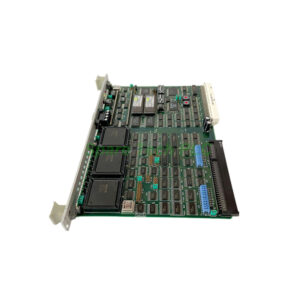
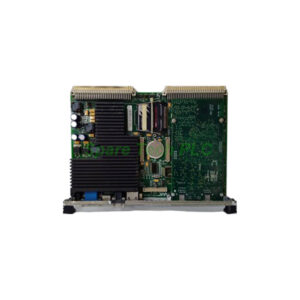
Additionally, the front faceplate contains a monitor port, a keyboard and mouse port, and USB ports. A single reset switch sits on the front panel. Four LED components mount directly to the panel. More LEDs connect to the Ethernet ports to show link and activity status. A PMC expansion slot is also available on the front panel.
Hardware Components and Layout
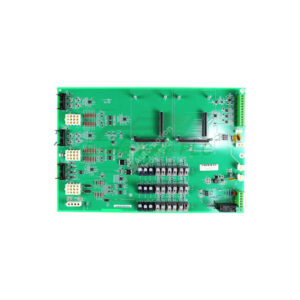
The IS215UCVGM06A has multiple switch components on its surface. One switch enables the board's Type 1 Lithium battery. Users should only replace this battery with an equivalent type. Other components include a backplane connector and connectors for auxiliary boards. The board also contains inductor coils, resistors, diodes, capacitors, and various integrated circuits. The front panel includes all user-accessible connectors. This layout makes installation and troubleshooting straightforward.
System Operation and Data Handling
The controller runs software tailored for steam, gas, LM (land-marine aero-derivative), and BOP (balance of plant) applications. An external clock interrupt allows synchronization with the VCMI communication board's clock. Synchronization stays within ±100 microseconds. This precision ensures coordinated operation in multi-controller systems.
External data transfers to and from the control system database (CSDB) over the VME bus. The VCMI communication board manages this transfer. In a simplex system, the data includes process inputs and outputs from I/O boards. In a TMR system, the data consists of voted inputs from input boards. It also includes singular inputs from simplex boards and computed outputs for voting by output hardware. Internal state values also exchange between controllers in TMR configurations.
Installation and Rack Types
The IS215UCVGM06A mounts inside a control module. Each control module requires at least one controller and one VCMI. Three rack types are available for installation. First, the GE Fanuc integrator's rack works for stand-alone modules with remote I/O only. Next, two sizes of Mark VI racks support both local and remote I/O. The GE Fanuc rack is shorter than the Mark VI racks. Regardless of rack type, a cooling fan installs either above or below the controller. For stand-alone modules using the GE Fanuc rack, a VDSK board is also necessary. This board powers the fan and provides rack identification through an ID plug.
Mechanical and Environmental Parameters
Processor: Intel Celeron 650 MHz (Ultra Low Voltage)
Memory: 128 MB SDRAM, 128 MB flash
Operating System: QNX (real-time, multitasking)
Voltage Range: 14 to 32 V dc
Maximum Lead Resistance: 15 Ohms
Operating Temperature: 0 to 70°C
Ethernet Interface: Dual 10BaseT/100BaseTX
Programming: Boolean
Size: 16.2 cm x 8.6 cm
Technology: Surface mount
Country of Origin: USA
Installation Guidelines
First, mount the IS215UCVGM06A into a compatible control module rack. Ensure the rack has proper cooling fan placement. Next, connect the backplane connector to the VME bus. Then attach Ethernet cables to the RJ-45 ports for UDH and Modbus communication. After that, connect any auxiliary boards to the designated connectors. If using a stand-alone GE Fanuc rack, install a VDSK board for fan power and rack ID. Finally, apply power within the 14 to 32 V dc range. Check the front panel LEDs to verify normal operation.
Packaging List
IS215UCVGM06A UCV Controller Board (1 unit)
Anti-static bag (1 piece)
Protective foam padding (1 set)
Quick installation guide (1 copy)
Note: No certificates or warranty documents are included in the package.
FAQ
1. What operating system does the IS215UCVGM06A use?
It runs on QNX, a real-time multitasking operating system. This OS ensures deterministic response for critical turbine control applications.
2. Can the IS215UCVGM06A work in a TMR configuration?
Yes. In TMR systems, the board exchanges voted inputs, computed outputs, and internal state values with other controllers.
3. How do I configure the second Ethernet port on this board?
Use the Toolbox software to configure the second port. The system validates the settings against the hardware each time the rack powers on.
4. What type of battery does the IS215UCVGM06A use, and how should I replace it?
It uses a Type 1 Lithium battery. Replace it only with an equivalent battery type using the enable switch on the board surface.
5. Which shipping carriers do you use for the IS215UCVGM06A?
We ship via FedEx, UPS, and DHL. All shipments include tracking numbers and full insurance coverage.