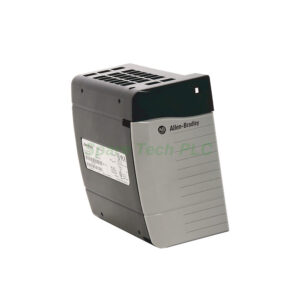
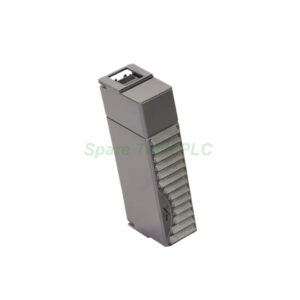
The 1756-MVI module from Allen‑Bradley belongs to the popular ControlLogix series. It acts as a multi‑vendor interface (MVI) for your PLC system. You can use it to connect Rockwell controllers with devices from other manufacturers. This module supports three serial protocols: RS‑232, RS‑422, and RS‑485. Moreover, the communication rate is fully configurable. The 1756-MVI draws 800 mA at 5V and only 3 mA at 24V from the backplane. Its power dissipation is 6.2 Watts. Consequently, it adds minimal load to your chassis. The module also features a thermal dissipation of 21.2 BTU/hour and an isolation voltage of 50V continuous. For setup, you simply change the onboard jumper to select the protocol. Additionally, the front‑panel LEDs show channel and module status, which greatly simplifies troubleshooting.
Technical Specifications
The 1756-MVI delivers reliable serial communication for mixed‑vendor environments. Below are the key technical parameters:
Communication Rate: Configurable (user‑defined baud rate)
Backplane Current (5V): 800 mA
Backplane Current (24V): 3 mA
Power Dissipation: 6.2 Watts
Thermal Dissipation: 21.2 BTU/hour
Isolation Voltage: 50V continuous
SERCOS Data Rate: 4 or 8 Megabits‑second
Current Draw (5.1V): 1.2 amps
Furthermore, the 1756-MVI includes an embedded operating system compatible with BIOS and DOS. This makes it easy to diagnose boot issues via a connected terminal. Remember, the module has no enclosure, so you must install it inside a protected ControlLogix chassis.
Mechanical & Environmental Data
Proper installation ensures long‑term reliability. The 1756-MVI module is built for industrial control panels. However, keep these mechanical and environmental factors in mind:
Dimensions: Standard ControlLogix single‑slot module
Weight: Approximately 0.65 kg
Operating Temperature: 0 to 60 °C (32 to 140 °F)
Storage Temperature: –40 to 85 °C (–40 to 185 °F)
Relative Humidity: 5% to 95% non‑condensing
Enclosure Rating: None (requires chassis with IP20 or better)
Specifically, the module’s isolation voltage is rated at 50V continuous. Therefore, do not expose it to high‑voltage circuits directly. Always use proper external isolation if needed.
Installation Guidelines
Installing the 1756-MVI is straightforward. First, turn off chassis power. Next, select an empty slot in your ControlLogix chassis. Insert the module and press firmly until the backplane connector seats. Then secure the retaining screws. After that, set the communication jumper on the side of the module to your desired protocol: RS‑232, RS‑422, or RS‑485. Connect the appropriate serial adapter cable (included) to the port. Finally, power up the chassis. Check the front LEDs. A steady green light indicates normal operation. For initial setup, ensure the Setup jumper is correctly placed. If no boot messages appear on your terminal, verify the cable connections and jumper position. Additionally, you can use the included CD‑ROM (for 1756‑MVID only) for configuration utilities.
Packaging List
When you order the 1756-MVI, you will receive the following items inside the box:
Serial adapter cables (3 units, for RS‑232/422/485)
Installation instructions booklet (1 unit)
CD‑ROM for 1756‑MVID configuration (1 unit)
Note: This package does not include certificates, warranty documents, or 12‑month guarantees.
Shipping & Delivery
We ship all orders using reliable carriers. Your 1756-MVI will be dispatched via FedEx, UPS, or DHL. Typical transit times range from 3 to 7 business days depending on your location. A tracking number will be provided after shipment.
Frequently Asked Questions (FAQ)
1. Can I use the 1756-MVI with a non‑Rockwell PLC? Yes. The 1756-MVI is a multi‑vendor interface module. It communicates via standard RS‑232, RS‑422, and RS‑485. Therefore, it works with most third‑party serial devices and controllers.
2. How do I change the communication protocol on the 1756-MVI? You change the protocol by moving a jumper located on the side of the module. Select RS‑232, RS‑422, or RS‑485 as needed. No firmware update is required.
3. What do the front LEDs indicate on the 1756-MVI? The LEDs show module status and channel activity. A steady green LED means normal operation. A red or blinking light typically indicates a configuration or wiring error. Consult the installation booklet for exact codes.
4. Does the 1756-MVI support hot swapping? No. You must power down the ControlLogix chassis before installing or removing the 1756-MVI. Otherwise, you may damage the module or backplane.
5. What is the maximum cable length for RS‑485 on the 1756-MVI? For RS‑485, you can run cables up to 1200 meters (4000 feet) at lower baud rates. For RS‑232, keep the cable under 15 meters (50 feet). Always use shielded cables in noisy industrial environments.
Attention: The above product information is sourced from the internet and cannot be guaranteed to be authentic.
For specific product parameters and prices, please contact
SpareTech PLC professionals in a timely manner.
Brand Name
Allen-Bradley
Model No.
1756-MVI
Product Type
Interface Module
hasMerchantReturnPolicy
Adjust according to reality
Shippingdetails
Adjust according to reality
The Allen‑Bradley 1756-MVI is a ControlLogix Multi‑Vendor Interface Module that bridges your Logix system with external serial devices. It supports configurable RS‑232, RS‑422, and RS‑485 communication. This module fits any slot in a ControlLogix chassis and provides a flexible, vendor‑neutral integration solution. SpareTech PLC provides you with a PDF version of the instructions about
Allen-Bradley 1756-MVI,
where you can download the
Allen-Bradley 1756-MVI manual PDF for free: Download PDF