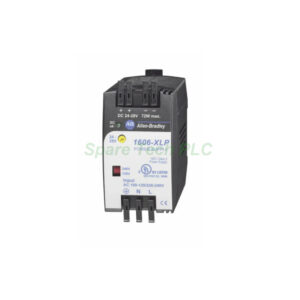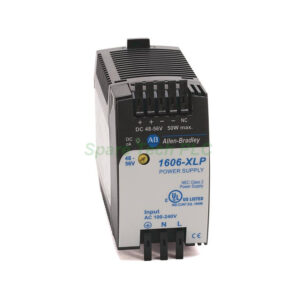
Allen-Bradley 1791D-16V0 Block I/O Installation & Maintenance
Product Introduction
The Allen-Bradley 1791D-16V0 provides sixteen sinking/sourcing input channels. This module handles 24V DC logic signals. It operates as a remote I/O node on DeviceNet. The module integrates seamlessly with Logix platforms. Moreover, it supports standard DeviceNet objects. This model features LED status indicators for each point. Furthermore, the housing offers IP20 protection. The 1791D-16V0 uses removable terminal blocks. This design simplifies field wiring and replacement procedures. Specifically, this module fits tight control cabinets.
Core Value
This device provides excellent distributed I/O flexibility. It reduces installation labor and panel space. Users save money on cabling with DeviceNet communication. The Allen-Bradley 1791D-16V0 delivers reliable signal acquisition in harsh environments. The module increases system uptime through diagnostic feedback. Specifically, it detects open-wire conditions on input channels. This unit also supports auto-baud rate detection. Additionally, it enhances productivity through quick commissioning. The simplified troubleshooting features minimize downtime.
Technical Insights
This module uses a standard DeviceNet communication profile. The 1791D-16V0 allows a maximum input current of 8mA per point. It handles an input voltage range of 10 to 30V DC. The module operates at a temperature range of 0 to 60 degrees Celsius. It also withstands vibration up to 5g. The I/O scan time matches the DeviceNet network speed. It supports both polled and strobed messaging formats. The hardware includes an electronic short-circuit protection mechanism. Moreover, the module features a replaceable fuse. The wiring follows a simple color code scheme. Use 0.5 mm² to 1.5 mm² wire sizes for connections.
Installation & Maintenance
First, mount the module vertically on a DIN rail. Ensure you provide adequate clearance for airflow. Then, connect the DeviceNet network using the 5-pin plug. Specifically, tie the drain wire to the ground terminal. Next, connect your field devices to the removable terminal block. Tighten the terminal screws to 0.5 Nm torque. After that, apply power and check the LED indicators. The green "Module Status" light confirms correct operation. Regularly inspect the module for dust accumulation. Clean the unit using dry compressed air. Additionally, verify the cable connections during routine maintenance. The module supports autoconfiguration through the software. Therefore, replacing a faulty unit is very straightforward. Always power off the system before removing the connectors. This practice ensures complete personnel safety.

Buyer’s Guide FAQ
Q1: What is the exact part number for this input module?
The exact part number is Allen-Bradley 1791D-16V0. This specific model comes with 16 discrete inputs.
Q2: Is the 1791D-16V0 compatible with ControlLogix?
Yes, the 1791D-16V0 is fully compatible with ControlLogix systems. It works seamlessly via the DeviceNet scanner module.
Q3: What type of input signal does the 1791D-16V0 accept?
This module accepts 24V DC sinking or sourcing input signals. It provides sixteen points of digital input detection.
Q4: How do I wire the 1791D-16V0 module?
Connect the device using the supplied removable terminal block. Then, follow the wiring diagram in the user manual.
Q5: Can I hot-swap the 1791D-16V0 module?
No, the module does not support hot-swapping. We recommend disconnecting the power before replacing the unit.