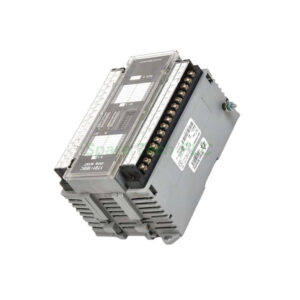
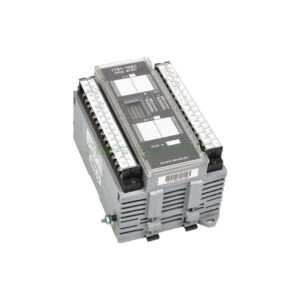
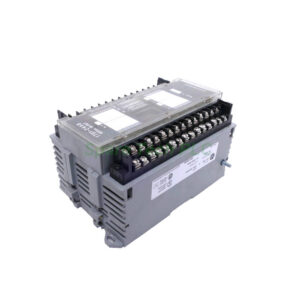
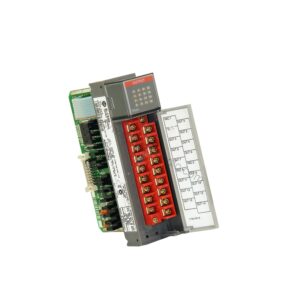
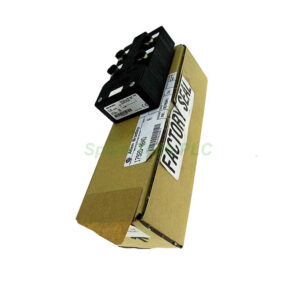
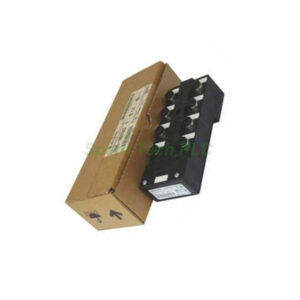
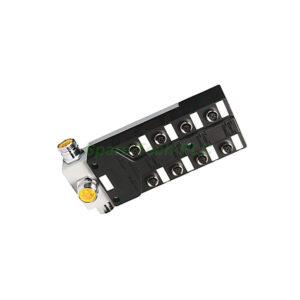
1791-16B0 Allen Bradley 24V DC 16 Input Module
Product Introduction
The 1791-16B0 from Allen‑Bradley belongs to the 1791 Block I/O series. This module provides 16 DC input points. It operates on a 24V DC power supply. The device converts incoming DC signals into a level that the processor can use. Its maximum input impedance is 3.4K Ohms. You can pair it with various switches, including pushbutton, limit, selector, float, and proximity switches. Additionally, the 1791-16B0 works seamlessly with PLC‑2, PLC‑3, PLC‑5, PLC‑5/250, and SLC controllers.
Technical Specifications
The 1791-16B0 offers reliable DC input handling. Below are the key electrical and functional details:
Inputs per block: 16
Input voltage rating: 24V DC
Maximum input impedance: 3.4K Ohms
Power supply: Built‑in DC conversion
Compatible controllers: PLC‑2, PLC‑3, PLC‑5, PLC‑5/250, SLC
Status indicators: Built‑in LED for troubleshooting
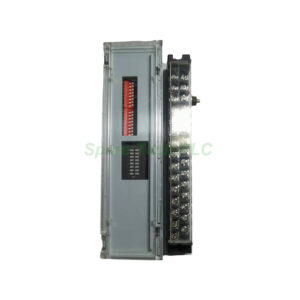
Switch assemblies: Located behind the front cover for last state, last chassis, and I/O rack number settings
Furthermore, the 1791-16B0 includes internal protection circuitry. This feature guards against common electrical faults. Therefore, the module remains stable in demanding environments.
Mechanical and Environmental Data
This I/O block has a compact form factor. It weighs only 0.45 kg (1.00 lbs). The housing is rugged enough for industrial use. Meanwhile, the removable terminal strip simplifies wiring changes. To access it, unscrew the two captive screws on the terminal strip. Then you can replace or connect wires easily.
The operating temperature range suits typical factory floors. No active cooling is required. Additionally, the module has a built‑in power supply. This design reduces external component needs.
Installation and Compatibility
Installing the 1791-16B0 is straightforward. First, mount the block on a DIN rail or panel. Next, set the switch assemblies behind the front cover. You need to configure the last state, last chassis, and I/O rack number. Then connect the 24V DC power. After that, attach your input devices such as limit switches or proximity sensors.
For instance, a common setup uses the 1791-16B0 with pushbuttons and a PLC‑5 controller. The module reads the 24V DC signals. Then it sends logic‑level data to the processor. Moreover, the programmable controller user interface allows easy navigation. You can monitor input status and adjust settings without extra tools.
What to Consider Before Use
Always verify voltage and current compatibility. The 1791-16B0 requires clean 24V DC power. Do not connect AC signals or higher DC voltages. Otherwise, internal protection may activate. Also, check that your input devices have suitable output characteristics. For proximity switches, confirm they sink or source correctly.
Another important point: the status indicator helps during troubleshooting. If an input does not respond, check the LED. Then review the wiring and the switch assembly settings. Most issues come from incorrect rack numbering or loose connections.
Packaging List
1791-16B0 module (1 unit)
Removable terminal strip (pre‑installed)
Captive screws (2 pcs)
User manual (quick start section)
Note: No certificates or warranty documents are included in the package.
Shipping Information
We ship using FedEx, UPS, or DHL. The gross weight is 0.45 kg. Packaging follows anti‑static and anti‑shock standards. Delivery times depend on your location. Typically, you receive the module within 5–7 business days.
Frequently Asked Questions (FAQ)
1. What controllers work with the 1791-16B0?
The 1791-16B0 is compatible with Allen‑Bradley PLC‑2, PLC‑3, PLC‑5, PLC‑5/250, and SLC platforms. It also works with other 1791 Block I/O systems.
2. Can I use 120V AC devices with this module?
No. The 1791-16B0 only accepts 24V DC inputs. Using higher voltage or AC signals may damage the unit.
3. How do I set the I/O rack number on the 1791-16B0?
Open the front cover. Then adjust the switch assemblies inside. These switches control last state, last chassis, and rack number. Refer to the quick start guide for exact positions.
4. What is the maximum input impedance?
The maximum input impedance is 3.4K Ohms. This value ensures proper signal detection from most switch types.
5. Does the module include overcurrent protection?
Yes. The 1791-16B0 has built‑in internal protection. However, we still recommend using an external fuse or circuit breaker for safety.